Documenting My Numeric Life With Dayone

Do you have a Flickr or Glass account where you posted your best shots, describing your mood when the pictures were taken? Do you have a Twitter or Mastodon account where you describe what’s on your mind? Maybe you are a blogger posting on WordPress or Micro.blog about a trip you are currently doing? If you answered yes to a few or all of these questions, you must read this article explaining how you could be documenting your life automatically. Why? How do you ensure the content you create on the Internet will stay forever accessible to you? How can you make sure you won’t lose anything when a service like Flickr changes the rules and removes pictures from its platform? I have set up a process to automatically document my numeric life with content I post online. Here is how.

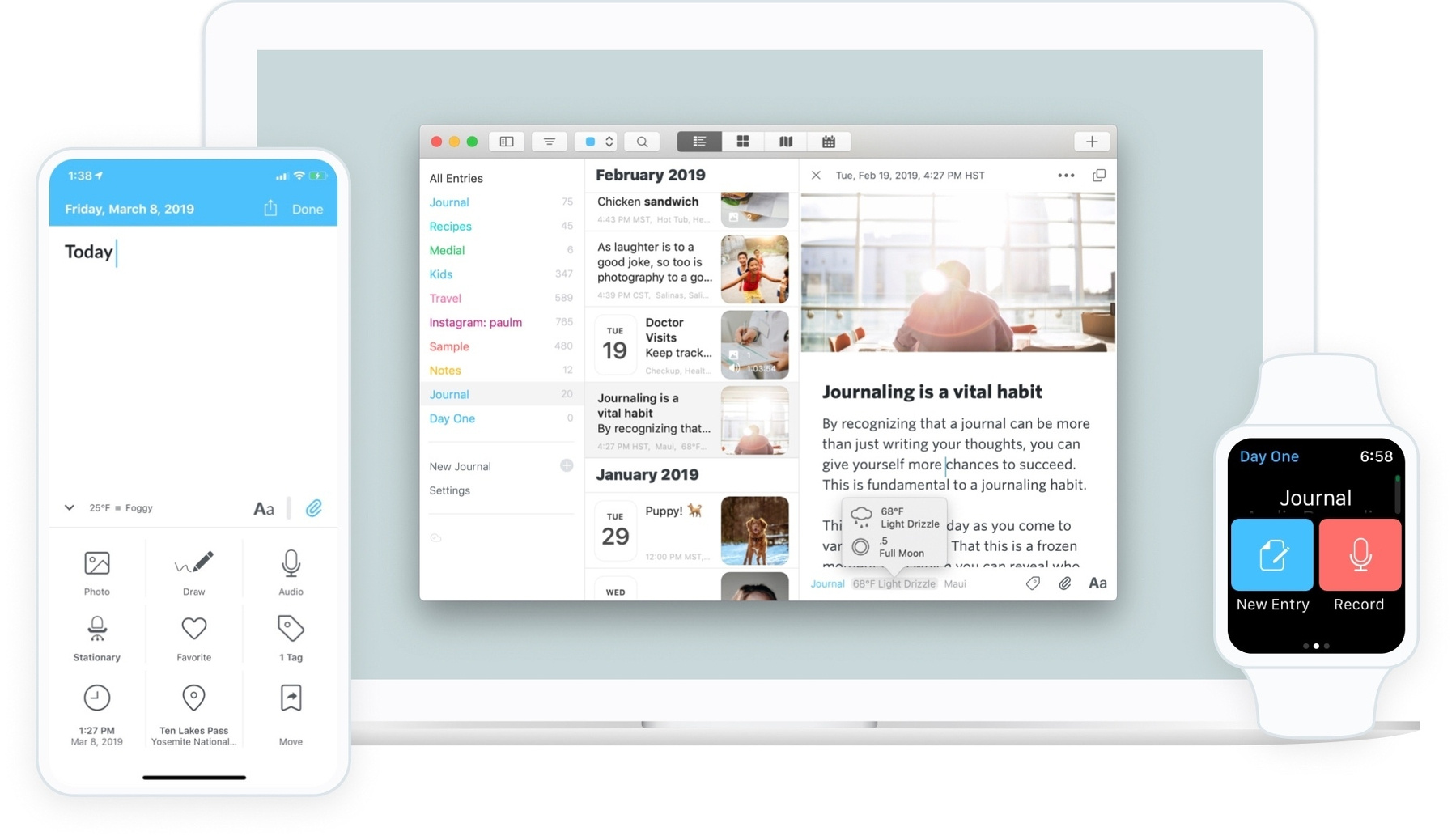
I’ve been using the excellent, powerful journaling app Dayone to help me save copies of my digital work. Dayone allows you to create journal entries containing text, photos, audio recordings, drawings, videos, etc. In addition, each entry contains metadata such as the current weather, GPS coordinates, the currently playing music, etc. The key to my setup is integrating Dayone with the automation service IFTTT, which lets you automate tasks across other web services. One such example of automation is automatically posting a photo you just uploaded to Flickr on Mastodon. Glass alone doesn’t do that, so to circumvent this, I use IFTTT to do it for me.

Auto-generated description: An applet editing interface shows a trigger action for a New feed item and a resulting action to Create Journal Entry.

The cool thing is that you can also use IFTTT to push content to your Dayone journal. To integrate both, you need to subscribe to the premium tier of Dayone. This will enable many cool features like syncing your journals on Dayone web servers. Second, this will make it possible for IFTTT web services to push content into your Dayone journals over the web. Don’t worry about security here; all data movement is encrypted.

As an example, I have created an “applet” on IFTTT that does this: if I publish a picture on Glass, I’d like to keep this post in my personal journal on Dayone and give it the tag “Glass”. The journal entry will include the picture itself, the description, the date and time and the source of information. Pretty cool, huh?! I have many applets that I have created to save, for example, a copy of all my posts on Micro.blog, or create an entry each time I publish a new blog post here on numericcitizen.me. Using RSS feeds with IFTTT is super simple.

Auto-generated description: A digital journal page displays entries about a travel update to Sibenik, Croatia, with dates, times, and accompanying images.

With all these applets running in the background, it is documenting and saving what I post on the internet via the web services I use. The following diagram shows the flow of information between the sources and the destination, Dayone.

Auto-generated description: A diagram illustrates how data from YouTube Likes, Glass photos, Pixelfed photos, Micro.blog posts, and Blog posts flow into IFTTT and then are saved into DayOne.

On the left, are the web services that I use for publishing content, and on the right, Dayone who gets all the information confined thanks to applets running at IFTTT.

As you can see, my internet presence is not only here on WordPress. I publish YouTube videos, I have a Micro.blog account, I’m posting photos on Glass, and I’m a YouTube consumer too. Nearly all of my interactions with these services are saved within my personal journal on Dayone. I find it cool and relieving to know that my personal archives are readily available. After reading this article, maybe you’ll consider doing something similar for your content, too?

The Write.freely Ecosystem Explained

The time has come for the return of a more open web. I’m embracing this movement by joining platforms or services that are built on open standards and promoting the open web in general as a byproduct.

Write.as is an instantiation version of the WriteFreely writing platform, available as an open-source project. Think of WriteFreely as the open-source version of WordPress. Anyone can get the source and install their own instance.

In May 2022, I took advantage of five-year special pricing to subscribe to the Write.as platform. Without exactly knowing what would be my use case for it, I decided to support the platform, just like I’ve been supporting Micro.blog since 2018. After a while, I discovered the many facets of this writing ecosystem and found it to be a bit confusing. In this article, I explain all the parts of the open and dedicated blogging platform.

First, let’s see what ChatGPT says about Write.as.

Aaron Taylor is the founder & CEO of Cosmic.org and a team of remote employees who work on the Write.as and Remark.as platforms. He is passionate about creating secure, anonymous spaces where people can express themselves without judgement or censorship. He has worked to create tools and features that make anonymous publishing easier and more secure for users. He is also the creator of the Remark.as platform, which gives users more control over how and when they share their thoughts.

Write.as is a project of a small team led by the founder & CEO, Aaron Taylor, at Cosmic.org. They are a remote team based all over the world, from Portland to Berlin to Mexico City.

Write.as is a platform designed to help people express themselves freely and anonymously. It provides a space for everyone to post their thoughts without worry of judgement or censorship. All posts are public and open to comments, however, the identities of the posters can remain anonymous. The project offers a suite of applications and services to make anonymous publishing easier, more secure, and more secure for users. It also provides a way for people to follow topics, publications, or users, engaging in thoughtful dialogue and idea exchange.

Remark.as is a project that is a part of the Write.as platform. It is designed to help users to have conversations with each other in an anonymous, secure, and censorship-free environment. Remark.as has features like tagging topics and publications, creating polls, and engaging in private forums. It also gives users more control over how and when they share their thoughts. Remark.as also provides users with the ability to create polls, surveys, and other interactive features to encourage public participation.

All in all, Write.as and Remark.as are projects by Aaron Taylor and the team at Cosmic.org that provide users with an anonymous, censorship-free space in which to express themselves freely and engage with others. They are both designed to make anonymous publishing easier, more secure, and to give users more control over how and when they share their thoughts.

Write.as is a simple, privacy-focused writing platform. It allows users to create and publish anonymous blog posts, journal entries, and other types of writing without the need for an account or personal information. The platform also includes a built-in editor and the ability to customize the appearance of your writing with different fonts and themes. Additionally, Write.as supports markdown formatting and has a feature called “focuses” which allows users to group related posts together. The platform is designed for those who value privacy and simplicity.

More seriously, here’s a brief description of each component, starting with an overview.

An Overview of the WriteFreely Ecosystem

The following diagram shows all the parts making up the Write.as service, which is part of the WriteFreely ecosystem.

write.as platform.png

  • The Write.as service is where all the writing experience happens. Since this article isn’t a review, suffices it to say the editor offers a minimalistic and distraction-free environment. Write.as supports adding tags to any blog posts. Cross-posting content in Write.as is available for other platforms like Tumblr, Ghost and Twitter. I connected my account to Ghost but rarely cross-post over there. It’s nice to have, though.
  • The writer can attach photos at the end of each post by dragging them on the bottom bar. Photos attachments go to the “snap.as” minimalistic photo sharing add-on, tied to Write.as. All photo attachments are shown in one place, on snap.as. Photo galleries are available, albeit with a one-time fee of 10$. Some features are marked as coming soon, but I suspect they are long in coming. I’m unsure if I would invest in this as I prefer dedicated services like Glass.
  • Submit.as is another add-on to Write.as. As the name suggests, it is a way for an author to accept submissions from other writers. No registration is required from the submitter, helping a frictionless experience. This service is not cheap and comes with a 12$ per month minimal fee. It’s not cheap and I don’t know why. Again, integration with other platforms is marked as coming.
  • Remark.as is yet another add-on closely tied to Write.as and offers to comment to any of the writer’s blog posts. Commenting is enabled on a per-post basis by adding a special <—discuss—> line anywhere within the post.
  • Read.write.as is like a content feed coming from other writers. Content published on Write.as gets published on this feed. It comes from the hosted version of Write.as. According to this website, content is cross-posted to an RSS feed, Mastodon and Twitter, but I fear this has been abandoned as the content is somewhat old.
  • The Mail add-on is where you’ll receive comments from other writers. Those comments are grouped in one place and are public.
  • Café is a place for discussion, but frankly, I don’t know how posts get promoted there. Those discussions are conversations happening on the Read.write.as section.
  • Other add-ons like a post signature is available for a monthly 10$ addition (ouch) and eBooks export is also available for another monthly 10$ (ouch).

Still with me? I know, it’s not simple. Write.as certainly feels like a bunch of add-ons taped together.

Image.png

Some remarks about the whole thing

  • The Write.as experience is minimalistic and needs some polishing. I didn’t see improvements since I’m subscribing to the platform. This annoys me.
  • Overall, the Write.as ecosystem feels minimalistic and unfinished. I don’t expect many improvements to come to the platform. Yet, Matt, the founder of Write.as, is active on discuss.write.as discussion forum, so it’s a good sign.
  • There’s a Mac app for the Write.freely ecosystem, which should support Write.as but it has been in beta for more than a year. iOS and iPadOS are also available. All apps are available here. I didn’t test these, preferring the web experience.
  • All these services are part of a suite called the Musing Studio. It’s more of a branding thing. The site hasn’t been updated for a while.

With this article, I hope I shed some light on this open-source project dedicated to writers and bloggers. Overall, I like Write.as, even with some rough edges or unfinished integration. If I failed to explain something correctly, let me know in the comments!

This article has been published on https://write.as/numericcitizen/ (here).

Some Updates to My Blogging Setup

Following my departure from Twitter, as well documented here, it was time for me to make some changes to my blogging setup. First, as for my domain numericcitizen.me, I moved my DNS setup off WordPress.com to GoDaddy, so that everything is in one place. Plus, I have more control on GoDaddy than on WordPress.com. This change was required so I could add a subdomain, blog.numericcitizen.me and point it to Micro.blog, numericcitizen.micro.blog. My main site is not about blogging but about publishing longer articles on subjects that I care about, like Apple or general software and services matters. The change was easy to execute but took some time to go into effect.

Image.png

https://blog.numericcitizen.me (blogging site on Micro.blog)

https://numericcitizen.me (main site on WordPress.com)

On Micro.blog, entering my custom domain name is mandatory and Micro.blog handles all the rest. Nothing is broken. Even the RSS feed still works. I also added a way for a reader to respond to any individual post by using a plugin named “Conversation on Micro.blog”. I had to create a custom theme, based on Marfa, for setting up the plugin. Again, that was super easy to achieve.

Image.png

Finally, I made a tweak to the CSS setup so the highlight colour is more in line with my avatar: some kind of blue.

nav.main-nav a.cta {

background: #fff;

color: #548EB9;

border: 2px solid #548EB9; }

nav.main-nav a.cta:hover {

background: #548EB9;

color: #FFFFFF;}

nav.main-nav a, #footer a, #post-nav a, p a{

box-shadow: inset 0 -2px 0 #548EB9;}

nav.main-nav a:hover, #footer a:hover, #post-nav a:hover, p a:hover {

box-shadow: inset 0 -25px 0 #548EB9;}

With these changes, I’m ready to start the year.

A Month After Migrating Off Blot.im — Observations

It’s now been a month since this website was migrated off Blot.im. The question you might ask: is the website getting as much traffic as it did before? The answer is no, a lot less traffic. According to this post, I got about 90 unique visitors daily during the 20 months with Blot.im. Now, under Craft, I’m getting less than 20.

Image.png

It’s hard to say why. Is the lack of RSS feed the reason? Now users need to come by often to see what’s new. I doubt people have time to waste doing that. The other reason might be that the new article posted here needs to be manually cross-posted on Twitter to get some exposure. Cross-posting to Reddit might help a lot as well, but the rules of many subreddit disallow self-promotion posts. Another factor might be that Craft doesn’t generate a sitemap, which is supposedly helping the Google search engine to process content. A quick search for something here works fine, though. The following Google search results for “my blogger workflow site:numericcitizen.io” reflect the updated website structure with the “world” subdomain followed by the trailing “/meta”.

Image.png

I don’t pay too much attention to visitors’ traffic; it’s more of a curiosity. If you’re looking into Craft for hosting a website, I hope to make you pause and think again about the implications. This meta website is more of a long-running documentation project that I share publicly. I don’t mind about Craft not being too SEO-friendly. Speaking of SEO, the site’s current Page Speed Insights does not look good at all.

Image.png

Image.png

Image.png

That could the other reason why this website isn’t performing too well.

My Content Creator Workflow as of 2022-12

It’s been a while since I shared details about my blogger creator workflow. From now on, I’m renaming it to “my content creator workflow” as it better reflects the coverage of my work. As you might expect, a lot has changed in a year. Without further due, let’s begin.

  • Cleanshot Cloud has been added to my toolset following an update to the Cleanshot application. I think it’s one of the best Mac utilities out there. I even wrote a love letter. The most recent update brings screenshots history which is really nice.

  • Raindrop.io is making a small comeback using the free tier for storing non-text bookmarks like things to watch. I didn’t subscribe to the service, and I explain why in this blog post “When War in Ukraine Influences My Application Choices - Numeric Citizen Blog.” I rarely use it, but when needed, it’s there.

  • Notion was dormant since I switched to Craft until recently when I started to use it more often in combination with IFTTT. I use it to store information like popular discussions about Craft on Reddit or YouTube videos that I liked. More details in this YouTube video that I made.

  • I became a subscriber of write.as as explained in [this article](https://numericcitizen-introspection.blog/friday-notes-63-i-writeas-myself/](https://numericcitizen-introspection.blog/friday-notes-63-i-writeas-myself/). There was a promotion earlier this year for a five-year subscription plan. I decided to make the plunge and give it a try. I’m using Write.as mostly when I’m musing about a very specific subject. The war in Ukraine has been one of those subjects. I like Write.as for its simplicity and its connection to Ghost, albeit without using it for every post.

    My write.as page.

  • Matter is becoming more of a nice read-later service. I like it a lot. But then, the long-awaited Readwise Reader is coming into beta and looks like a serious contender. In Early October, I was finally able to try the Readwise Reader application. I like it a lot too, but it offers a quite different experience than Matter. Which one will stick with me is still unclear, though, like many things as I wrote in [this article](numericcitizen.me/2022/07/0…](http://numericcitizen.me/2022/07/03/things-that-dont-stick-with-me/).

  • The Reminders app from Apple is removed from my workflow, as I’m trying to focus on fewer tools. Instead, I came back to using Things 3 for my weekly planning instead of relying on Craft’s to-do list and daily notes. What’s better than a task manager to manage… tasks? More details about this change in this YouTube Video “Why I’m No Longer Using Craft for My Daily Notes.”

  • Vimeo is out, but YouTube is in for hosting a series of videos about Craft. I could see myself creating videos about other subjects too in the future. At the time of publishing, I made 35 videos so far, I currently have a bit less than 500 subscribers. My goal is to hit the 1000 mark within the first year of producing videos.

  • I settled on using a few Apple shortcuts for storing web clips in Craft Inbox. I discovered MarkDownload, a Safari extension for downloading web articles in markdown files that are easy to import in Craft for reading and processing. CraftClip 1.3 is also in there for use on my iPad when I’m browsing the web and want to save an article for further processing and inclusion in Craft. My reading workflow is still in flux, though. I’m thorn between Matter and Readwise Reader. As described in my YouTube video, Craft plays an important role too as explained in this YouTube video “My Reading Workflow Using Craft

  • I closed my Blot.im account and move to Craft for hosting the Numeric Citizen I/O website, representing a 60$ savings that will serve to pay for the Craft Business plan. What if Blot.im disappeared? I asked myself this question recently.

    • A side-effect of moving to Craft for hosting my content is the loss of RSS feed support.
    • Blot.im was based on a GIT repo and for publishing I needed Nova, it has been removed from my workflow too as well as WorkingCopy for the iPad.
    • Commento was disabled and closed on all my blogs after closing my Blot.im account (another 260$ of yearly savings) and when Ghost introduced native comments. I was never or very rarely used by visitors to post comments anyway. What a waste of time and money.

Instapaper vs Pocket — Which Read Later Service is Better for Me

As much as I love Craft, its current version is unsuitable as a read-later solution. I do keep a list of bookmarks within Craft, but the article’s content is not fetched and saved into Craft, something Notion is able to do. This list is kept for other purposes, like helping me build my newsletter and other long-form articles. I need a better reading solution.

Reading is something that requires the least distraction possible. Safari reader mode is great. I use it quite frequently to remove the noise from a webpage, but it lacks the highlighting feature of Instapaper or Pocket. Using a shortcut to save a text highlight is possible but distracting. This is where an app like Instapaper or Pocket comes into play. But which one is the best? For me, it is Pocket1, here is a quick comparison of both solutions.

  • Pocket design is richer, while Instapaper’s is minimalistic, which could be seen as an advantage. Yet, Pocket is still frictionless for reading.
  • Pocket updates are more frequent.
  • Pocket is more expansive than Instapaper.
  • IFTTT support is more extensive with Instapaper than it is with Pocket.
  • Instapaper allows quick notes to be created next to the highlighted text. This could prove useful. Think of it as meta-highlighting.
  • Instapaper seems stuck in the past when it was created by Marco Arment.
  • Instapaper allows you to organize bookmarks into folders, something I wish Pocket would support. I’m a bit compulsive about organizing my content.
  • Pocket supports iOS widgets, not Instapaper.
  • Share sheet allows tagging with Pocket, which makes me more efficient.
  • Page rendering seems better in Pocket.
  • On the Mac, Instapaper Safari extension doesn’t work. It keeps asking me to authenticate with the application, which I did. See next observation.
  • Both Pocket and Instapaper don’t support Sign in with Apple within the macOS application; only on the website. Because of this, the Instapaper is useless on the Mac, while Pocket supports creating a password for the account, which fixes this issue.
  • Pocket offers a public profile page where article recommendations can be shared.
  • I have more confidence in Pocket’s future and sustainability than in Instapaper’s.

The following screenshots are page rendering examples of the same article from both services.

Instapaper page rendering example.

Pocket page rendering example.

If Craft is ever updated to extract an article from a website, allows tagging and highlighting, I’ll probably reconsider my use of Pocket. For now, I’m a very happy user of Pocket, a service which helps me read more and better.

My Pocket profile. My Matter profile.


  1. I used Pocket when the service was first started, but somehow, I stopped using it, maybe because of Apple’s introduction of the Read Later feature in Safari. ↩︎

Interesting Fact About My Twitter Usage

I spent a few moments this week analyzing Twitter’s influence on my blog’s visitors analytics using Plausible. Why? Because.

Plausible · numericcitizen.me

Plausible · numericcitizen.micro.blog

Numbers show that cross-posting on Twitter brings about 10-15% traffic to my blogs. It is much lower than I initially thought. Closing my account would minimally affect my exposure. These numbers show that I should care too much about Twitter’s future. I should look confidently beyond Twitter as a content creator.

A Peek At My Photo Processing Workflow

This meta blog is mostly about my content creation workflows. Photography is a big part of it, so I posted an update last week-end about it, after a two-year period.

My last photo processing update is more than two years old. Quite a few things have happened since 2020: many things are in, but many things are out too. I learned to use new services while dropping those that don’t fit my content creation journey. Let’s see what’s in and what’s out.

What’s in

  • Glass, the new kid on the block of photo-sharing services, is in, and I like it a lot, as I wrote in “my experience with the service.”
  • Exposure is in, and I love it so much that it will replace Smugmug as my official home. The main reason is the possibility of a great mix of images and text forming beautiful posts. All posts published on Exposure are cross-posted to Micro.blog.
  • Adobe Spark was renamed to Adobe Express recently. I’m rarely using it, but when I do, I like this creative tool.
  • On the hardware side, my iPhone 11 Pro was upgraded to an iPhone 13 Pro back in the fall of 2021, and I wrote in detail in Upgrading From the iPhone 11 Pro to iPhone 13 Pro — the Love Story Continues – Numeric Citizen Blog. In summary, it was a great upgrade for my photography creativity.

What’s out

I guess the following items should be added to my long list of “Things that don’t stick with me” article. Let’s see one by one the ousted service or app.

  • My iPhone 13 Pro played a major role during my trip to Italy last summer. Two-thirds of my shots came through my iPhone 13 Pro device, one third with my Nikon D750. The trend is worrisome. Is my Nikon D750 on the way out? Not yet, but… I know it won’t be part of my next trip to South America this coming December.
  • 500px is out (it previously replaced Flickr) and eventually was, in turn, replaced by Smugmug. The latter is on the way out too, and will be replaced by Exposure. The process has already started (read my Experience using the service recently published).
  • Universe was a one-year experience but was later abandoned. It gave me the unique experience of building a simple website showing my urban exploration photographic work.
  • Gurushots, a photo contest community, is out of my digital life. I still have an account but I no longer spend time on this website. It’s a big waste of time as fully documented GuruShots Tips and Tricks Guide — The 2021 Edition — Part I – Numeric Citizen Blog and in GuruShots Tips and Tricks Guide — The 2021 Edition — Part 2 – Numeric Citizen Blog.
  • Camera+ is another victim of my workflow constant optimization. It was briefly replaced by the excellent Halide, but again it was dropped in favour of Apple’s stock Camera app. If I had an iPhone 14 Pro, I would probably switch back to Halide as it offers an easy way to turn on and off the 48-megapixels camera mode.
  • Also out is my content on Adobe Portfolio (I wrote a small review about the service a while back). While the tied integration with Adobe Lightroom is nice, it wasn’t easy to create a website to my liking, and I eventually dropped the service. Exposure is a photo-sharing service that goes way beyond Adobe Portfolio.
  • My use of Adobe Lightroom Classic has significantly decreased since my last workflow update. My go-to photo editing app is Adobe Lightroom (both on iPad or M1 MacBook Air), and Pixelmator Photo on the iPad comes in second. The latter was extensively used during my summer trip to Italy.
  • I also stopped using Skylum Aurora HDR & Luminar as my need for HDR is nonexistent (it used to be the case when I was doing urban exploration, which is no longer the case, sadly).
  • On the hardware side, I sold my 2017 4K Retina iMac (read “Remembering My Story of Owning The 4K Retina 21.5 inches iMac — 2017-2021 – Numeric Citizen Blog”) and bought an M1 Mac mini shortly after it came out on the market. I wrote a must-read article on how to migrate Adobe Lightroom Classic from one Mac to another. A few months later, I got an M1 MacBook Air. Both of these machines are simply incredibly mighty.

Miscellaneous

I’m still using Unsplash for selecting photos for addition to my content when it makes sense. I contribute from time to time, and that ok. I’m not investing much time in selecting photo content for publication on Unsplash. Sometimes, less is more.

I used to have an Instagram account (The Perfect Imperfctions) and mostly stopped posting on it. Time is a finite resource, and I have to make choices on where I spend my time creating new and meaningful content. One thing is for sure, Instagram is not what it used to be for photography lovers like me.

Concluding words

My photography workflow is constantly changing but maybe not as often as my blogger workflow. It has been more than two years since my last workflow update, and a lot has changed in two years. I don’t see major changes in the future, as I’d like to keep things a bit more stable for now and use my creativity to make good use of my toolset.

Saving Plausible Analytics for Blot.im

The following screenshot was taken from the Plausible Analytics dashboard. It displays the analytics for Numeric Citizen I/O before being shut down for good. Plausible Analytics isn’t supported on Craft website, but since I’m a Craft Business Plan subscriber, I got some analytics. I’ll be able to compare overtime if Craft website is correctly reachable from Google.

This Blog Is Transitioning to Craft-Based Hosting Soon

In the coming days, this blog will be transitioning to a Craft-based hosting solution. As you probably already know, I’m a big fan of Craft (see my YouTube videos here), and a proof-of-concept was running (see: https://world.numericcitizen.io/meta) for a while, and I’m happy with the results. It’s time to move forward.

Why This Change

As a cost-cutting measure and workflow simplification desire, I’ll cancel my subscription to Blot.im and fully focus on Craft as the hosting solution. Craft, when used with the Business Plan subscription tier, proves to be an effective solution for hosting simple websites like this one.

The consequence of this move is that I’ll no longer rely on GIT and Nova (a great GIT client on macOS) to to my publishing. While I learned a few things related to GIT with Blot.im, I need to move forward with a less time-consuming solution.

What You Need To Know

The way Craft hosting is working, I’ll have to make some changes for the domain name to points to the right place. The actual website under Craft is already hosted behind the following URL: https://world.numericcitizen.io/meta. Links like https://numericcitizen.io should be pointing to the new destination URL. I added a domain forwarding rule in GoDaddy DNS so this should happen automatically.

Please note that, unfortunately, Craft website doesn’t support RSS feeds. So, consider removing your RSS feed subscription from your RSS reader app. I don’t have a way to know how many readers are coming here through the RSS feed. This is sad, and I hope not too many readers will be impacted by this change. Please keep coming and visit my website for new and updated content.

I’m also happy to report that Google well indexes Numeric Citizen I/O under Craft at the time of this writing. You’ll always be able to find this blog. Also, recent content will be marked as such using Craft “Focus” box option coupled with a 🆕 emoji.

Looking Forward

Since publishing content in Craft is super easy and frictionless, expect more updates in the future. The goals of this website stay the same: to share my experience with my content creator tools and services. I hope that you learn something new when you visit my website.