My Content Creator Workflow as of 2022-12

It’s been a while since I shared details about my blogger creator workflow. From now on, I’m renaming it to “my content creator workflow” as it better reflects the coverage of my work. As you might expect, a lot has changed in a year. Without further due, let’s begin.

  • Cleanshot Cloud has been added to my toolset following an update to the Cleanshot application. I think it’s one of the best Mac utilities out there. I even wrote a love letter. The most recent update brings screenshots history which is really nice.

  • Raindrop.io is making a small comeback using the free tier for storing non-text bookmarks like things to watch. I didn’t subscribe to the service, and I explain why in this blog post “When War in Ukraine Influences My Application Choices - Numeric Citizen Blog.” I rarely use it, but when needed, it’s there.

  • Notion was dormant since I switched to Craft until recently when I started to use it more often in combination with IFTTT. I use it to store information like popular discussions about Craft on Reddit or YouTube videos that I liked. More details in this YouTube video that I made.

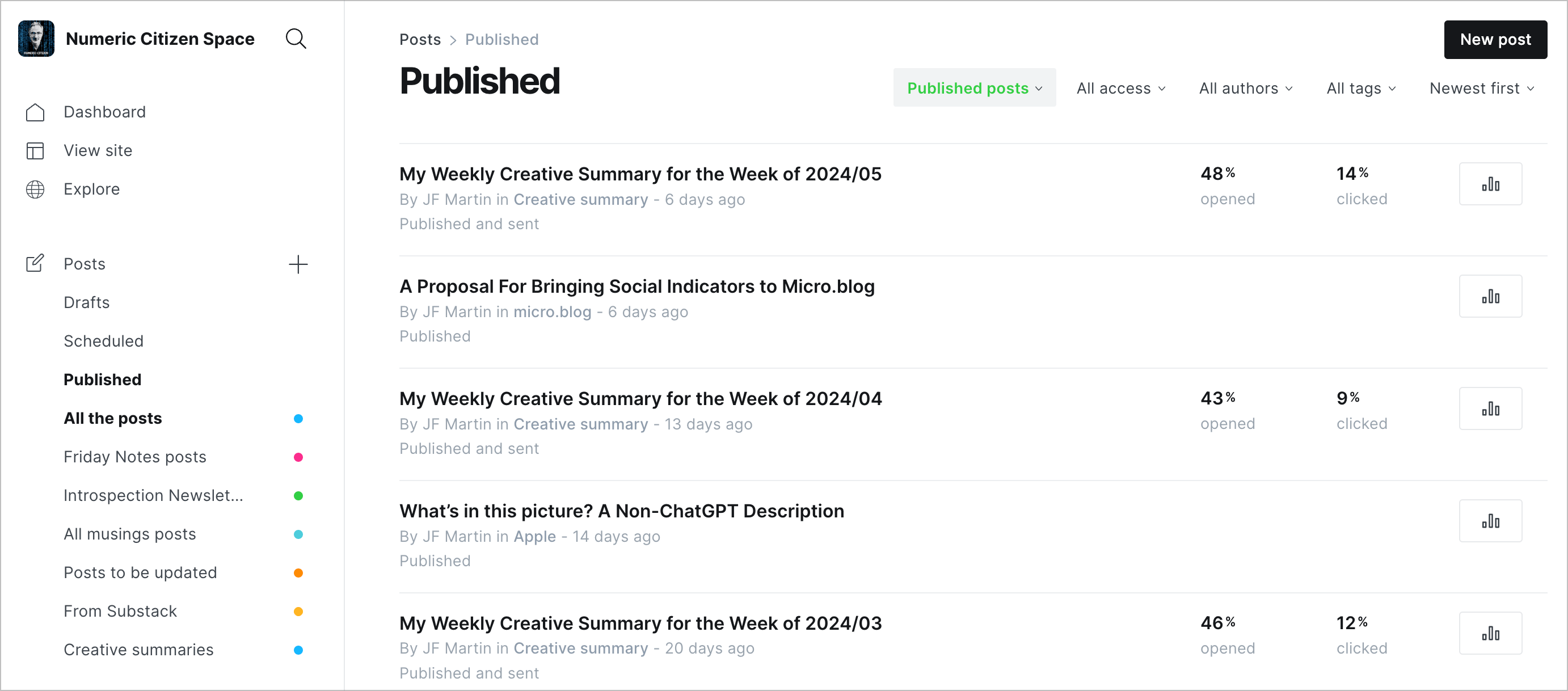
  • I became a subscriber of write.as as explained in [this article](https://numericcitizen-introspection.blog/friday-notes-63-i-writeas-myself/](https://numericcitizen-introspection.blog/friday-notes-63-i-writeas-myself/). There was a promotion earlier this year for a five-year subscription plan. I decided to make the plunge and give it a try. I’m using Write.as mostly when I’m musing about a very specific subject. The war in Ukraine has been one of those subjects. I like Write.as for its simplicity and its connection to Ghost, albeit without using it for every post.

    My write.as page.

  • Matter is becoming more of a nice read-later service. I like it a lot. But then, the long-awaited Readwise Reader is coming into beta and looks like a serious contender. In Early October, I was finally able to try the Readwise Reader application. I like it a lot too, but it offers a quite different experience than Matter. Which one will stick with me is still unclear, though, like many things as I wrote in [this article](numericcitizen.me/2022/07/0…](http://numericcitizen.me/2022/07/03/things-that-dont-stick-with-me/).

  • The Reminders app from Apple is removed from my workflow, as I’m trying to focus on fewer tools. Instead, I came back to using Things 3 for my weekly planning instead of relying on Craft’s to-do list and daily notes. What’s better than a task manager to manage… tasks? More details about this change in this YouTube Video “Why I’m No Longer Using Craft for My Daily Notes.”

  • Vimeo is out, but YouTube is in for hosting a series of videos about Craft. I could see myself creating videos about other subjects too in the future. At the time of publishing, I made 35 videos so far, I currently have a bit less than 500 subscribers. My goal is to hit the 1000 mark within the first year of producing videos.

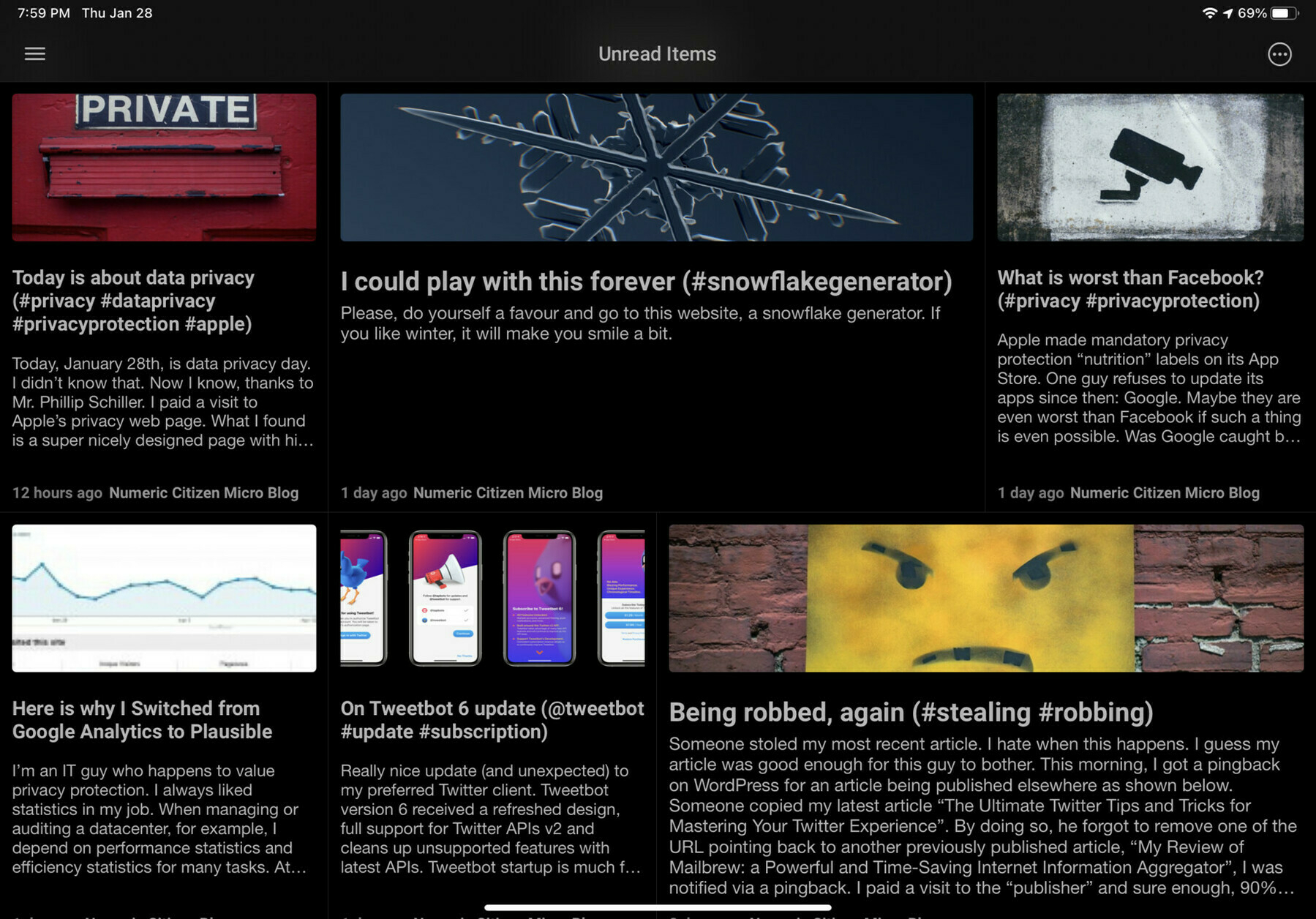
  • I settled on using a few Apple shortcuts for storing web clips in Craft Inbox. I discovered MarkDownload, a Safari extension for downloading web articles in markdown files that are easy to import in Craft for reading and processing. CraftClip 1.3 is also in there for use on my iPad when I’m browsing the web and want to save an article for further processing and inclusion in Craft. My reading workflow is still in flux, though. I’m thorn between Matter and Readwise Reader. As described in my YouTube video, Craft plays an important role too as explained in this YouTube video “My Reading Workflow Using Craft

  • I closed my Blot.im account and move to Craft for hosting the Numeric Citizen I/O website, representing a 60$ savings that will serve to pay for the Craft Business plan. What if Blot.im disappeared? I asked myself this question recently.

    • A side-effect of moving to Craft for hosting my content is the loss of RSS feed support.
    • Blot.im was based on a GIT repo and for publishing I needed Nova, it has been removed from my workflow too as well as WorkingCopy for the iPad.
    • Commento was disabled and closed on all my blogs after closing my Blot.im account (another 260$ of yearly savings) and when Ghost introduced native comments. I was never or very rarely used by visitors to post comments anyway. What a waste of time and money.

Instapaper vs Pocket — Which Read Later Service is Better for Me

As much as I love Craft, its current version is unsuitable as a read-later solution. I do keep a list of bookmarks within Craft, but the article’s content is not fetched and saved into Craft, something Notion is able to do. This list is kept for other purposes, like helping me build my newsletter and other long-form articles. I need a better reading solution.

Reading is something that requires the least distraction possible. Safari reader mode is great. I use it quite frequently to remove the noise from a webpage, but it lacks the highlighting feature of Instapaper or Pocket. Using a shortcut to save a text highlight is possible but distracting. This is where an app like Instapaper or Pocket comes into play. But which one is the best? For me, it is Pocket1, here is a quick comparison of both solutions.

  • Pocket design is richer, while Instapaper’s is minimalistic, which could be seen as an advantage. Yet, Pocket is still frictionless for reading.
  • Pocket updates are more frequent.
  • Pocket is more expansive than Instapaper.
  • IFTTT support is more extensive with Instapaper than it is with Pocket.
  • Instapaper allows quick notes to be created next to the highlighted text. This could prove useful. Think of it as meta-highlighting.
  • Instapaper seems stuck in the past when it was created by Marco Arment.
  • Instapaper allows you to organize bookmarks into folders, something I wish Pocket would support. I’m a bit compulsive about organizing my content.
  • Pocket supports iOS widgets, not Instapaper.
  • Share sheet allows tagging with Pocket, which makes me more efficient.
  • Page rendering seems better in Pocket.
  • On the Mac, Instapaper Safari extension doesn’t work. It keeps asking me to authenticate with the application, which I did. See next observation.
  • Both Pocket and Instapaper don’t support Sign in with Apple within the macOS application; only on the website. Because of this, the Instapaper is useless on the Mac, while Pocket supports creating a password for the account, which fixes this issue.
  • Pocket offers a public profile page where article recommendations can be shared.
  • I have more confidence in Pocket’s future and sustainability than in Instapaper’s.

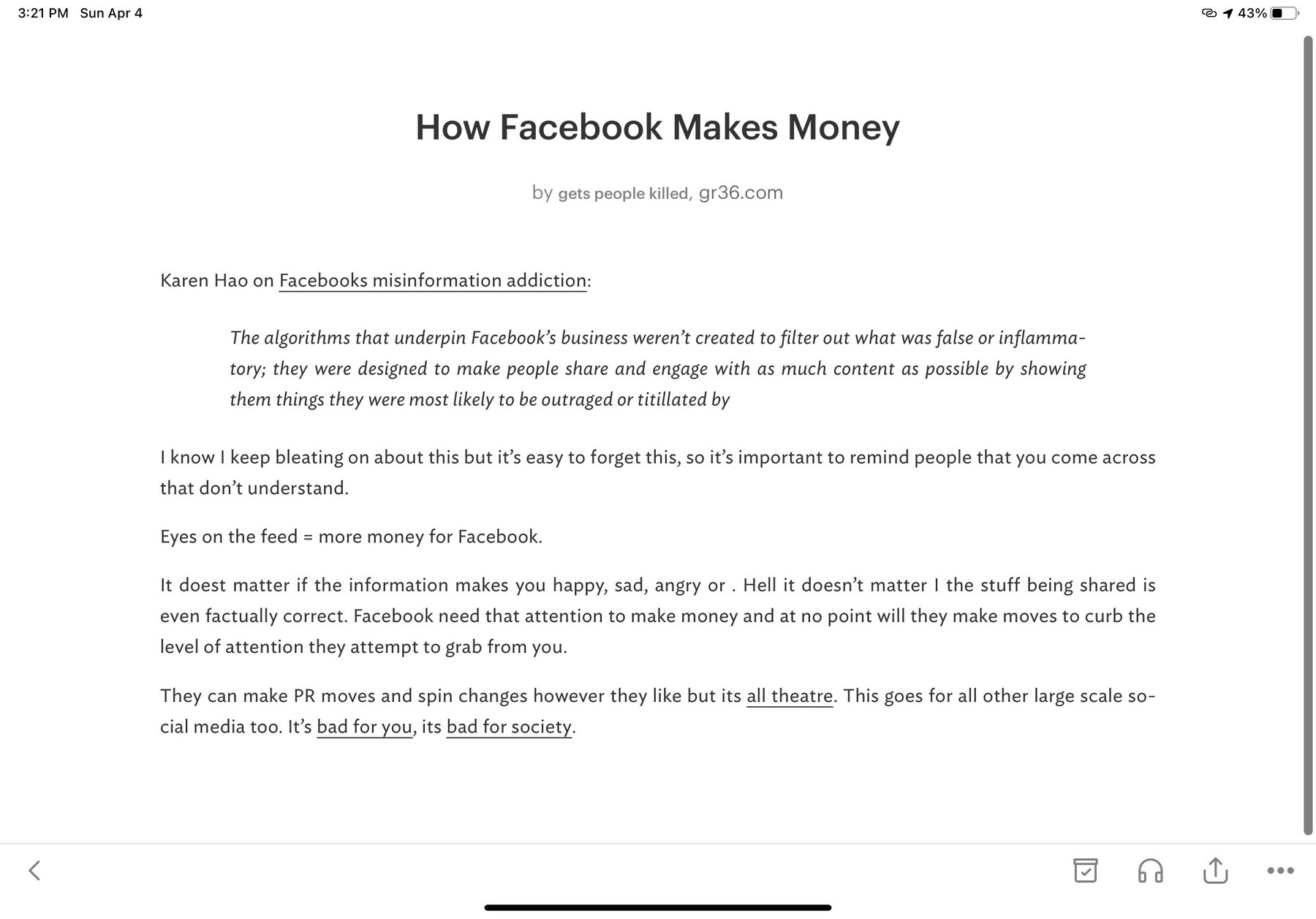
The following screenshots are page rendering examples of the same article from both services.

Instapaper page rendering example.

Pocket page rendering example.

If Craft is ever updated to extract an article from a website, allows tagging and highlighting, I’ll probably reconsider my use of Pocket. For now, I’m a very happy user of Pocket, a service which helps me read more and better.

My Pocket profile. My Matter profile.


  1. I used Pocket when the service was first started, but somehow, I stopped using it, maybe because of Apple’s introduction of the Read Later feature in Safari. ↩︎

Interesting Fact About My Twitter Usage

I spent a few moments this week analyzing Twitter’s influence on my blog’s visitors analytics using Plausible. Why? Because.

Plausible · numericcitizen.me

Plausible · numericcitizen.micro.blog

Numbers show that cross-posting on Twitter brings about 10-15% traffic to my blogs. It is much lower than I initially thought. Closing my account would minimally affect my exposure. These numbers show that I should care too much about Twitter’s future. I should look confidently beyond Twitter as a content creator.

A Peek At My Photo Processing Workflow

This meta blog is mostly about my content creation workflows. Photography is a big part of it, so I posted an update last week-end about it, after a two-year period.

My last photo processing update is more than two years old. Quite a few things have happened since 2020: many things are in, but many things are out too. I learned to use new services while dropping those that don’t fit my content creation journey. Let’s see what’s in and what’s out.

What’s in

  • Glass, the new kid on the block of photo-sharing services, is in, and I like it a lot, as I wrote in “my experience with the service.”
  • Exposure is in, and I love it so much that it will replace Smugmug as my official home. The main reason is the possibility of a great mix of images and text forming beautiful posts. All posts published on Exposure are cross-posted to Micro.blog.
  • Adobe Spark was renamed to Adobe Express recently. I’m rarely using it, but when I do, I like this creative tool.
  • On the hardware side, my iPhone 11 Pro was upgraded to an iPhone 13 Pro back in the fall of 2021, and I wrote in detail in Upgrading From the iPhone 11 Pro to iPhone 13 Pro — the Love Story Continues – Numeric Citizen Blog. In summary, it was a great upgrade for my photography creativity.

What’s out

I guess the following items should be added to my long list of “Things that don’t stick with me” article. Let’s see one by one the ousted service or app.

  • My iPhone 13 Pro played a major role during my trip to Italy last summer. Two-thirds of my shots came through my iPhone 13 Pro device, one third with my Nikon D750. The trend is worrisome. Is my Nikon D750 on the way out? Not yet, but… I know it won’t be part of my next trip to South America this coming December.
  • 500px is out (it previously replaced Flickr) and eventually was, in turn, replaced by Smugmug. The latter is on the way out too, and will be replaced by Exposure. The process has already started (read my Experience using the service recently published).
  • Universe was a one-year experience but was later abandoned. It gave me the unique experience of building a simple website showing my urban exploration photographic work.
  • Gurushots, a photo contest community, is out of my digital life. I still have an account but I no longer spend time on this website. It’s a big waste of time as fully documented GuruShots Tips and Tricks Guide — The 2021 Edition — Part I – Numeric Citizen Blog and in GuruShots Tips and Tricks Guide — The 2021 Edition — Part 2 – Numeric Citizen Blog.
  • Camera+ is another victim of my workflow constant optimization. It was briefly replaced by the excellent Halide, but again it was dropped in favour of Apple’s stock Camera app. If I had an iPhone 14 Pro, I would probably switch back to Halide as it offers an easy way to turn on and off the 48-megapixels camera mode.
  • Also out is my content on Adobe Portfolio (I wrote a small review about the service a while back). While the tied integration with Adobe Lightroom is nice, it wasn’t easy to create a website to my liking, and I eventually dropped the service. Exposure is a photo-sharing service that goes way beyond Adobe Portfolio.
  • My use of Adobe Lightroom Classic has significantly decreased since my last workflow update. My go-to photo editing app is Adobe Lightroom (both on iPad or M1 MacBook Air), and Pixelmator Photo on the iPad comes in second. The latter was extensively used during my summer trip to Italy.
  • I also stopped using Skylum Aurora HDR & Luminar as my need for HDR is nonexistent (it used to be the case when I was doing urban exploration, which is no longer the case, sadly).
  • On the hardware side, I sold my 2017 4K Retina iMac (read “Remembering My Story of Owning The 4K Retina 21.5 inches iMac — 2017-2021 – Numeric Citizen Blog”) and bought an M1 Mac mini shortly after it came out on the market. I wrote a must-read article on how to migrate Adobe Lightroom Classic from one Mac to another. A few months later, I got an M1 MacBook Air. Both of these machines are simply incredibly mighty.

Miscellaneous

I’m still using Unsplash for selecting photos for addition to my content when it makes sense. I contribute from time to time, and that ok. I’m not investing much time in selecting photo content for publication on Unsplash. Sometimes, less is more.

I used to have an Instagram account (The Perfect Imperfctions) and mostly stopped posting on it. Time is a finite resource, and I have to make choices on where I spend my time creating new and meaningful content. One thing is for sure, Instagram is not what it used to be for photography lovers like me.

Concluding words

My photography workflow is constantly changing but maybe not as often as my blogger workflow. It has been more than two years since my last workflow update, and a lot has changed in two years. I don’t see major changes in the future, as I’d like to keep things a bit more stable for now and use my creativity to make good use of my toolset.

Saving Plausible Analytics for Blot.im

The following screenshot was taken from the Plausible Analytics dashboard. It displays the analytics for Numeric Citizen I/O before being shut down for good. Plausible Analytics isn’t supported on Craft website, but since I’m a Craft Business Plan subscriber, I got some analytics. I’ll be able to compare overtime if Craft website is correctly reachable from Google.

This Blog Is Transitioning to Craft-Based Hosting Soon

In the coming days, this blog will be transitioning to a Craft-based hosting solution. As you probably already know, I’m a big fan of Craft (see my YouTube videos here), and a proof-of-concept was running (see: https://world.numericcitizen.io/meta) for a while, and I’m happy with the results. It’s time to move forward.

Why This Change

As a cost-cutting measure and workflow simplification desire, I’ll cancel my subscription to Blot.im and fully focus on Craft as the hosting solution. Craft, when used with the Business Plan subscription tier, proves to be an effective solution for hosting simple websites like this one.

The consequence of this move is that I’ll no longer rely on GIT and Nova (a great GIT client on macOS) to to my publishing. While I learned a few things related to GIT with Blot.im, I need to move forward with a less time-consuming solution.

What You Need To Know

The way Craft hosting is working, I’ll have to make some changes for the domain name to points to the right place. The actual website under Craft is already hosted behind the following URL: https://world.numericcitizen.io/meta. Links like https://numericcitizen.io should be pointing to the new destination URL. I added a domain forwarding rule in GoDaddy DNS so this should happen automatically.

Please note that, unfortunately, Craft website doesn’t support RSS feeds. So, consider removing your RSS feed subscription from your RSS reader app. I don’t have a way to know how many readers are coming here through the RSS feed. This is sad, and I hope not too many readers will be impacted by this change. Please keep coming and visit my website for new and updated content.

I’m also happy to report that Google well indexes Numeric Citizen I/O under Craft at the time of this writing. You’ll always be able to find this blog. Also, recent content will be marked as such using Craft “Focus” box option coupled with a 🆕 emoji.

Looking Forward

Since publishing content in Craft is super easy and frictionless, expect more updates in the future. The goals of this website stay the same: to share my experience with my content creator tools and services. I hope that you learn something new when you visit my website.

Making YouTubes Videos - Observations & Notes

I’ve been making videos since early June of 2022. I wasn’t destined to produce content for YouTube as I’m more of a “written words” type of guy. So far, I have made 18 videos totalling more than two hours and a half of viewing time. Along the way of producing those videos, I learned a lot, and at this point, I feel pretty satisfied with my workflow. Here are my gathered observations and notes about my endeavour.

  • Craft is a great application for helping me stay organized and support my video creation workflow. I’m using a template for each new video with things to do, research notes, documentation, video script, and post-process steps are all part of the template. I also maintain a table of past and future videos. I’m very happy with Craft in that respect.
  • I did learn a few things about Craft along the way of producing these videos, for example, while preparing the video about explaining the differences between a document and a page in Craft, I learned that dragging a page to the navigation pane on the left portion of Craft main window, the page gets converted to a document.
  • As much as I love my M1 MacBook Air, exporting videos using ScreenFlow can take up to an hour. It’s the use case that makes me wish I had a more powerful MacBook Pro.
  • At Episode 15, I decided to use an external 1TB SanDisk SSD drive to store all my past and present episodes instead of my MacBook air internal drive. This way, I can plug the drive on my M1 Mac mini when I’m ready to export a finished video. Remember that a MacBook Air has no fan, and after 10 or 15 minutes of intensive use, the Mac will throttle down the CPU to prevent overheating. There is no such thing on the Mac mini; the CPU can run at max power for as long as needed, shortening the video rendering time.

  • Having an external drive to store my videos also enabled me to use my Mac mini which uses an Apple Studio Display which brings much more space to work with while doing video editing.

  • Doing the video montage on the Apple Studio Display helps a lot and helps me reduce the time it takes to create a new rendering.
  • A typical folder containing a recorded episode contains the Screenflow document, the episode header image in full and lower resolution and the resulting .MP4 video file, ready for upload in YouTube Studio.
  • Speaking of Screenflow: it’s a great application, but it is afflicted with a few bugs here and there. Updates to fix those are slow in coming. At some point, I contemplated the idea of switching to Final Cut Pro but doing so would still require me to keep Screenflow. So I’m sticking to it. Oh and I don’t like iMovie. Maybe I should look back at LumaFusion? But I don’t want to do production on the iPad.
  • With each video, I’m perfecting something in my process or in the final product. My best montage can be found in Craft Doesn’t Need to be Notion and “Learn the Differences Between Documents and Pages.” I’m recording with a 4K Logitech Brio webcam, but I’m planning to use the Opal C1 webcam when the software gets more mature, and bugs are fixed. I’ll update this post after putting it to work and compare it with the Logitech.
  • It took me a while to understand how chapters on YouTube work. Publishing from within Screenflow doesn’t export chapter markers (another Screenflow bug?). To get my markers exported, I need to first export them to an .MP4 file, then manually upload them to YouTube. That’s annoying.
  • Google, unsurprisingly, offers a comprehensive plethora of analytics. It’s really a rabbit hole for those like me who love numbers. So far, I’m happy with the numbers, except for people retention. Surprisingly, people don’t stick around for a long time at my videos. Is my content that bad? Is this a major trend on YouTube or something that is closely tied to my content? Looking at my comments and likes ratio, these are vastly positive and aren’t indicating a problem with the content and the visual quality of my work. The retention time tends to increase as I produce longer videos.
  • It makes a noticeable difference when posting a new video is coupled with a post on Reddit, Circle and Slack, as well as Buffer on Twitter.
  • Being active on Reddit, Slack and Circle helps a lot to increase awareness about my videos, and I’m getting many new subscribers each day. On average, I’m getting about three new subscribers per day, which could mean that by the end of my first year of publishing content on YouTube, I could reach close to 1000 subscribers. This looks unrealistic. If I ever get past 500 subscribers, I’ll be happy.
  • When I’m referring to one of my blog articles in the episode notes, I do get visitors. YouTube seems a great way to help grow visitor traffic.
  • According to my Linktr.ee analytics, I can see positive impacts on visitors and conversion rates.
  • Credibility seems to be building over time as I’m posting on a regular basis new content. I’m getting a score of close to a 100% likes ratio, which is a good indication that I’m doing good, but is this sustainable?
  • I don’t pay too much attention to time release timing of a new video. YouTube processing into 4K takes forever. I tend to release a new video on the day after it has been uploaded and transcoded by the YouTube back-end.
  • Most popular video: “Planning my week ahead using Craft Daily Notes.“ People are looking for productivity hacks, and I should probably do more of these videos in the future.

You can view a behind-the-scenes video here.

I’m Ready to Move This Website to Craft

Numeric Citizen I/O hosted within Craft document.

In recent days, I’ve been working on a proof-of-concept to replicate Numeric Citizen I/O website currently hosted on Blot.im into Craft. I’m happy to report that the main portion of my work is completed. You can have a look at the end results here (Craft link). Now, the only missing part is the support of custom domains and notifications. The former will help mask the Craft URL behind a more user-friendly URL. The latter will let me know when someone is dropping a comment on the website. For the time being, I’ll update both versions in parallel. Enjoy.

On Migrating WordPress Content to Ghost

Moving content from one platform to another isn’t easy. And it shouldn’t be that way.

The problem: I want to migrate a few dozens of posts from my Numeric Citizen Blog to my other website, Numeric Citizen Introspection, hosted on Ghost. Easy, right? Think again. The Ghost migrator plugin doesn’t support posts selection; it’s an all or nothing tool. How can I migrate a subset of my posts in that context? By assigning a specific category to each post, I can use the WordPress export tool to export these posts. Next, those posts can then be imported into an empty WordPress instance. From there, I could use the Ghost Migrator plugin. The issue is that I don’t have an empty WordPress instance sitting idle. Using WordPress.com, I cannot install the plugin in a free instance (it’s part of a Business plan, which I subscribe to for my main blog). The solution, was to use my Synology NAS to install an empty WordPress instance locally and proceed from there. Let’s see what the workflow looks like.

1. Turn off post update in the WP to Buffer Pro plugin to prevent flooding your Buffer queue
2. On the source WordPress instance, update posts category that you want to export
3. Install the “Export media with selected content” plugin (which is needed to export images as well as text content)
4. Export content to an XML file with the plugin
5. Install WordPress on Synology NAS with all required dependancies
6. Configure a WordPress website that will be used to host exported content in transit to Ghost
7. Install “Export media with selected content” in Synology WordPress instance (not really required)
8. Install the Ghost Migrator plugin
9. Delete the default post and unneeded page from the WordPress instance, as well as any images from the media library.
10. For each post to export, add the export category of your choice (in my case it was “PhotoLegend”.)
11. Export posts using these options from the WordPress Tools menu

WordPress export with selected content plugin in action.

12. Switch to the WordPress instance running on the Synology NAS
13. Select Import from the Tools menu
14. Select the XML file created from the Export step earlier
15. Set the author for the imported posts

WordPress import plugin in action.

16. Set the Download and import file attachments to bring in images
17. Click Submit and wait for the process to complete (it takes some time, depending on the number of posts and images to import)
18. Verify if all posts are listed in the Posts section (check creation date, author, etc.)
19. Check for Media Library to verify if images are imported
20. Open a few posts to see if content is correctly formatted
21. Edit posts with back links or other elements that need to be updated before importing content into Ghost
22. Edit tags according to the destination website requirements
23. Edit post slug and post title according to destination website requirements
24. Export using Ghost Migrator plugin, select the JSON format since ZipArchive module isn’t installed with this version of WordPress and PHP

Ghost Migrator plugin is pretty limited in functionality.

25. Import JSON file created in the previous step
26. Check for imported posts issues. This is where I hit the wall. Missing photos, content imported as HTML blocs, etc. Not great at all.

Images are missing in imported post.

Posts from WordPress are imported in HTML block in Ghost which is not good.

27. Turn back on the WP to Buffer Pro Post Update option

This workflow doesn’t meet the goal of migrating WordPress content to Ghost. I ended up deleting the posts on the source WordPress instance and kept a copy of them on my Synology instead. I don’t know what I’ll do eventually with these “archived” posts.

Observations

Some observations are in order. This whole story brought many observations that I think you should consider if you’re attempting something similar.

  • The Ghost Migrator plugin is very limited, which make it hard to build an optimal migration workflow.
  • Images migration is close to impossible or very unreliable, forcing to use a manual export and import process.
  • Image optimization plugins on WordPress could make the migration harder than necessary.
  • Website optimization plugins on WordPress could add tags that are probably hindering the migration process.
  • Ghost import feature is still a work in progress can there is no way to select which post to import after reading the JSON file.
  • Testing the migration with a single post would most likely help identify issues faster, instead of importing all the content on the first try.
  • It doesn’t help to convert the WordPress post to use the block editor before exporting the content.
  • Migration efforts are time-consuming, making sure the content still has value to your reader is a good idea. I ended up deleting my 23 posts after spending hours of migration efforts. The positive side of this story is that I learned quite a lot.
  • Even if I couldn’t use the ZIP file for the Ghost Migrator plugin, I don’t think it would have made a difference in the migration quality. I tried to add ZIP Archive to the PHP installation, but the WordPress installation within my Synology NAS is hard to customize. After spending a few hours trying, I dropped the ball.
  • Data portability is really an issue these days. Even with export or import plugins exist, there are other problems that are inherent to each platform or CMS.

One thing that I gained from this experience is that by using WordPress on my Synology NAS, I can export content from my online WordPress to my Synology NAS for archiving purposes. That’s cool. Other than that, the problem of data mobility across content platform is real.

My Blogger Workflow as of 2021-12

My previous blogger workflow update was in March 2021. Quite many things have happened since then. It’s time for another update. Buckle up because this is a big one, and enjoy the ride!

My blogger workflow as of 2021-12.

What’s in

For 2021, I was expecting a year without many changes to my blogger workflow, and yet, I was in for quite a few surprises.

  • Probably some of the most important additions this year are Toggl, Timery, and Focused Work to track my time while creating content (consider bookmarking and reading “Why and How I’m Tracking Time With Toggl” if you want to know all the details.) Tracking my time does take some time, but I like the results.
  • Hello Ghost (again)! I started experimenting with Ghost during the 14-day trial period, during which all features were available for testing. I started building automation with the Zapier integration. After the trial period ended, the integration with Zapier stopped working for some reason. I quickly found out that many features like custom themes, custom integrations, and commenting support are only available with certain subscription tiers. Commenting on each blog post isn’t available by default unless I’m on the Creator tier and customize one of the provided themes. To use Commento, I needed an API key, as well as a custom theme and a custom integration. And moreover, a custom version of Casper with some script invocation was added to enable Commento integration. Forking such a built-in theme requires staying in sync with the official theme, as Ghost updates them from time to time to benefit from all Ghost’s additions. Finally, I visited Google Search Console to add my Ghost website for better SEO management and optimizations. I became a subscriber at the entry-level tier for $9 per month, but I quickly realized that the $25 was the one I needed (consider bookmarking and reading “Moving From Substack to Ghost–My Experience” for more details.)
  • iPadOS 15 introduced support for Safari extensions. Working on the iPad now feels less and less a compromise, as Grammarly support and many other extensions are now available. For people depending on the iPad, it is a much-welcomed addition. Unexpectedly, in 2021, my workflow shifted towards the MacBook Air (read “Coming Out of a Rabbit Hole and Buying Two MacBook Air”).
  • Pocket made a comeback in addition to Readwise (consider bookmarking and read “Instapaper vs Pocket — Which Read Later Service Is Better for Me”). Pocket is well-known and doesn’t need much introduction. According to Readwise website: “Readwise makes it easy to revisit and learn from your ebook & article highlights.” Resurfacing previously highlighted text snippets is fun and helps build a lasting memory of past readings. I added Readwise as a source to my weekly newsletter built using Mailbrew.
  • Using the Readwise sharing feature to repost quotes on Twitter is handy. I don’t use it too often, though.

Sharing a Readwise highlight.

  • WordPress plugin: I’m using the paid version of “WB to Buffer” for reposting previously published posts to Buffer. With another WordPress plugin named “Feedzy” it imports RSS feeds from Substack and Microblog and creates “Also on my …” type of blog posts automatically. It didn’t generate much traction and added too much noise to my original content feed. This was disabled after a few months when I moved out of Substack.
  • I unexpectedly started using Matter when Matter officially became public. Matter seems to have gained some traction over Pocket as the best read-later service. Compared to Pocket, it creates great link posts that can be saved or shared online, just like Readwise and Pocket.
  • I became a subscriber of Typefully (typefully.com), a web application for writing threads on Twitter. Some features of Typefully are similar to Buffer’s, like being able to schedule tweets. I use it to write threads to complement some of my articles. The latest example of things to watch in 2022. Finally, Typefully brings great engagement analytics.

Typefully analytics.

What’s out

  • My experience with HEY World didn’t last long. I’ve been moving out of HEY World to go to Substack for my Friday Notes* and Photo Legend* Series (consider bookmarking and reading “Migrating My Content From Hey World to Substack”). I can say the same thing about my Substack experience. These services, while attractive, didn’t stick in my workflow.
  • HEY is no longer on the workflow diagram. HEY doesn’t really contribute to my blogger workflow. Most of my readings don’t happen there anyway, even if HEY provides newsletters dedicated feed, one of the tent pole features of the mail client.
  • As mentioned earlier, Substack is out. The popularity of a platform doesn’t guarantee the popularity of your content.
  • I closed my Telegram account. Read more here to learn why. I’m contemplating Signals instead.
  • WordPress Plugin: Coblock was disabled to remove overhead in webpage processing. It didn’t make a difference, though.

In progress

  • I do spend more time maintaining my digital garden in Craft all year long. You can find a lot of stuff in there.
  • I’m still trying to figure out how to use Apple’s Quick Notes feature in iPadOS 15 and macOS Monterey. I may end up having no use for this after all, which is too bad because, on paper, the idea is cool.
  • I’m always thinking about using Apple’s Reminders in my workflow. Reminders have improved quite a lot over the years, but occasionally, I think Craft could take over if table support was better (sorting, tagging, etc.). The more things I’ll do with Craft, the more synergy it creates. I’ll watch Craft’s evolution in 2022, and maybe make a move.

Things to improve

  • Adding text clipping in Craft would be so helpful. There are shortcuts that work with Craft that do just that, but I don’t find the experience very satisfying.
  • Speaking of Apple’s Shortcuts, I do find more use cases for them to speed up a few key tasks, like setting up my work session after logging into my account on macOS.
  • Templates in Craft to kickstart the creation of a new article would be very handy. It is expected in 2022, in an upcoming update in 2022 or via an extension.
  • As much as I would like to see the addition of tags in Craft, implementing this feature could be tricky. Where should we be able to tag things? In a page’s properties, inline in the page’s content?
  • I have to work on my reading workflow and decide what I’m going to do with Pocket, Readwise and Matter. Pocket will probably go as it is entirely covered with Matter.

Miscellaneous

  • My usage of ** Craft ** has significantly increased this year. It is becoming my second brain (Fun fact: find out the name of my MacBook Air). Lately, I decided to use the Craft calendaring feature to prepare a weekly plan containing my content creation objectives. As the week progresses, I keep it up-to-date and check items off the list. It’s a satisfying experience, trust me.
  • I’m still using Notion to keep my old data and connect Matter to Notion to save my reading highlights automatically. As soon as a Craft extension allows me to pump my data out of Notion, I might be done with Notion once and for all. Notion is not shown on my workflow diagram but will be in an upcoming post covering my reading workflow.
  • Twitter Revue: I had a Revue account before Twitter bought them. Now that it is integrated into their platform, I experimented with it (read a sample issue here). I love Twitter Revue, but I have yet to find a unique and useful use case for it. I currently have five subscribers.
  • Furthermore, I should consider closing my Flipboard account. I never go there; it’s not what it used to be, and I don’t get any traffic from this platform.
  • Google News, where I cross-post my main blog content, could also go down the drain. I don’t get any traction there.
  • Finally, Tumblr is another place where I cross-post content. Tumblr has become a ghost town in recent years, and it doesn’t help at all. Even if cross-posting is done automatically using WordPress’ built-in feature, I should consider stopping using this platform.
  • In my previous workflow update, I considered moving my Photo Legend Series to Hey, which I did for a short while. Now, it is hosted on Ghost, along with my Friday Notes Series and monthly newsletter. I like consolidating stuff sporadically.
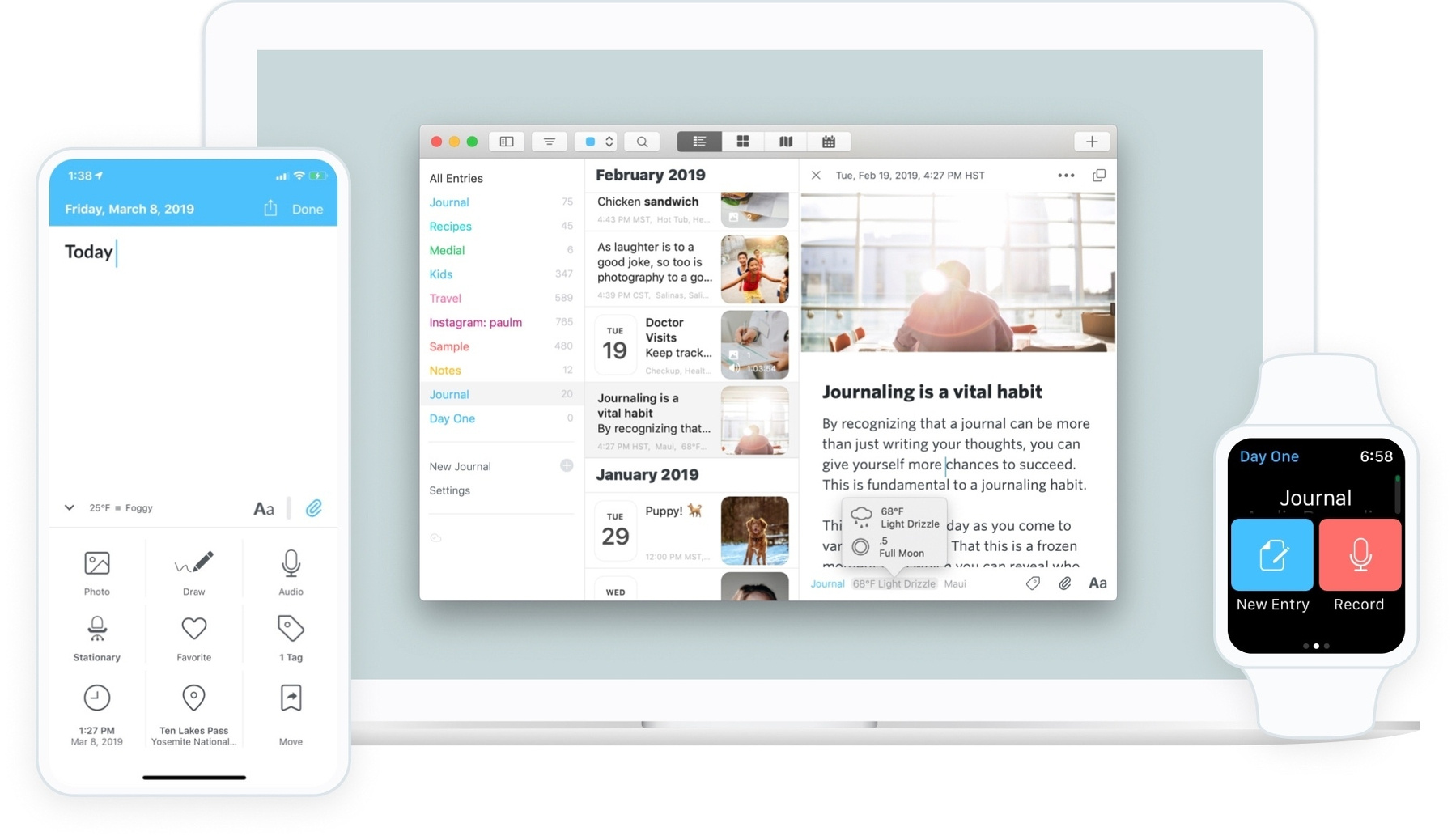
  • Since getting a MacBook Air, my iPad Pro usage significantly dropped. The Mac is the power user tool. I cannot be as productive on an iPad.
  • I worked a lot on my WordPress blog to improve its score on Google’s PageSpeed Insights, as documented here. Did it make a difference? According to my blog visitor statistics, the answer is no. Here is a strange thing: if I run PageSpeed tests twice in a row, the final score is quite different. Usually, the second try gives much better results. How much trust should I put in these results? Another observation: my score for this blog, a static website, is the worst. Is Blot hosted on a low-end performance tier in the cloud?
  • I’ve been using Commento with Blot to add comments support on this blog. I never got a single comment! It’s a high price to pay for a service that nobody takes advantage of. Maybe it will be a better fit with my newsletter website on Ghost? Time will tell.
  • IFTTT still plays an important role in my publishing workflow as it works with Buffer to help me control the cross-posting flow. Each day, I spend some time managing the Buffer queue to spread out posts to be published. I also use IFTTT to cross-post anything I post on Reddit to my Twitter channel on Buffer. Buffer has a new calendar view that helps you see a timeline overview of all future publishing. Buffer isn’t cheap, but I like what it does for me. Cross-posting content does help create traffic and improves engagement.

Well, that was a long one. I want to walk you through my reading workflow for an upcoming article. I read a lot of stuff online, and many applications and services are involved here. Reading is the source of my inspiration for most of my work as a content creator. I think there are some interesting things to write about. Stay tuned, and see you in 2022.