From now on, I will document and track all bugs in my custom web apps using GitHub, instead of relying on checklists in Craft. Centralizing everything isn’t ideal; organizing issues in their appropriate locations is smarter. Additionally, Claude Code will be able to close issues on my request.
My Micro.blog Timeline Summarization Workflow
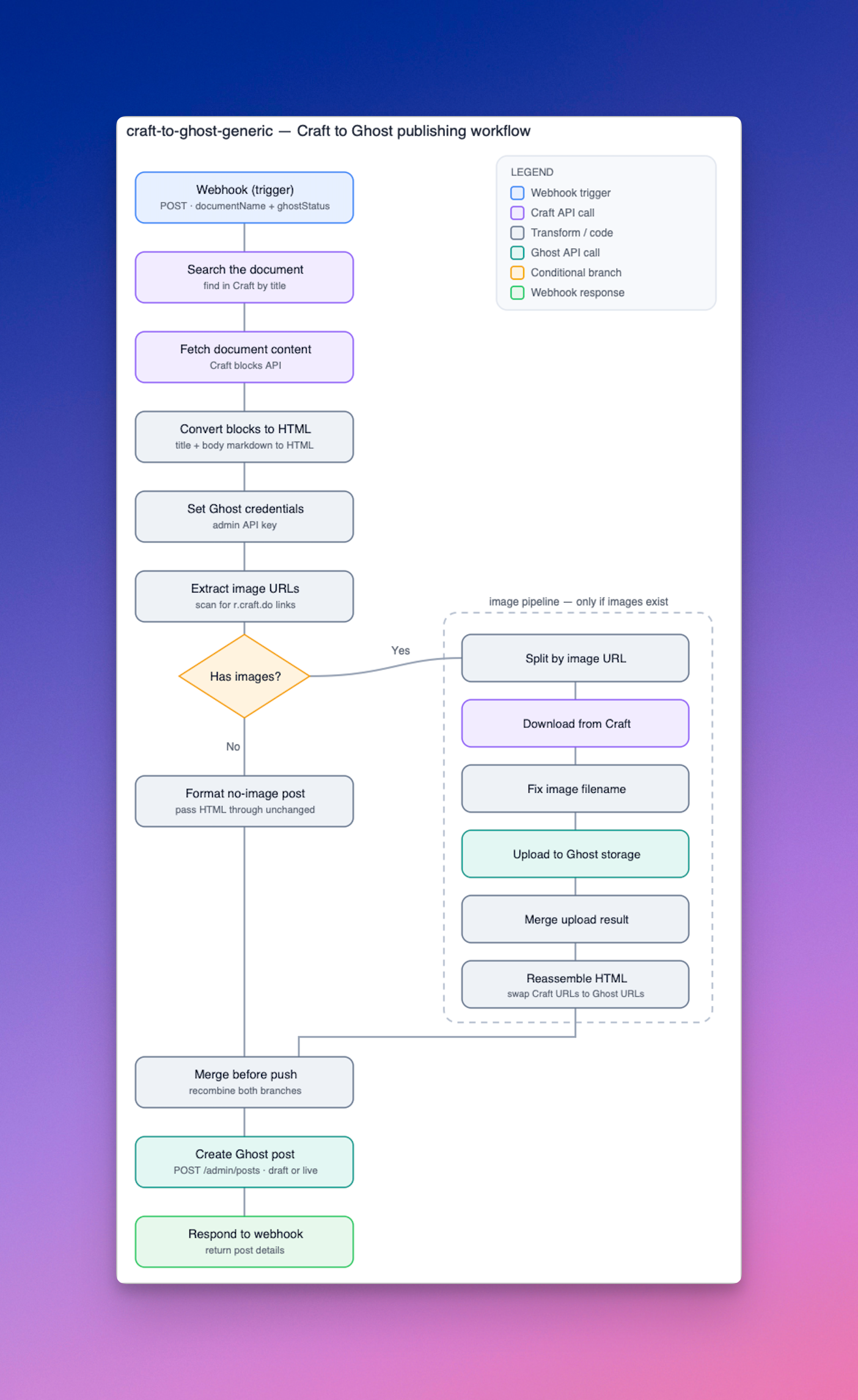
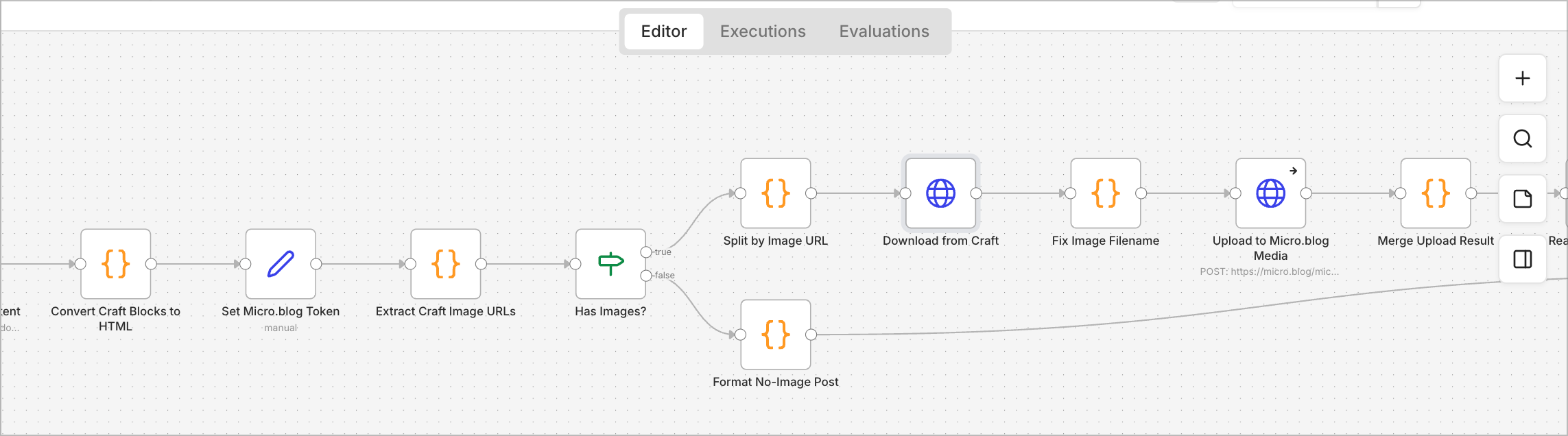
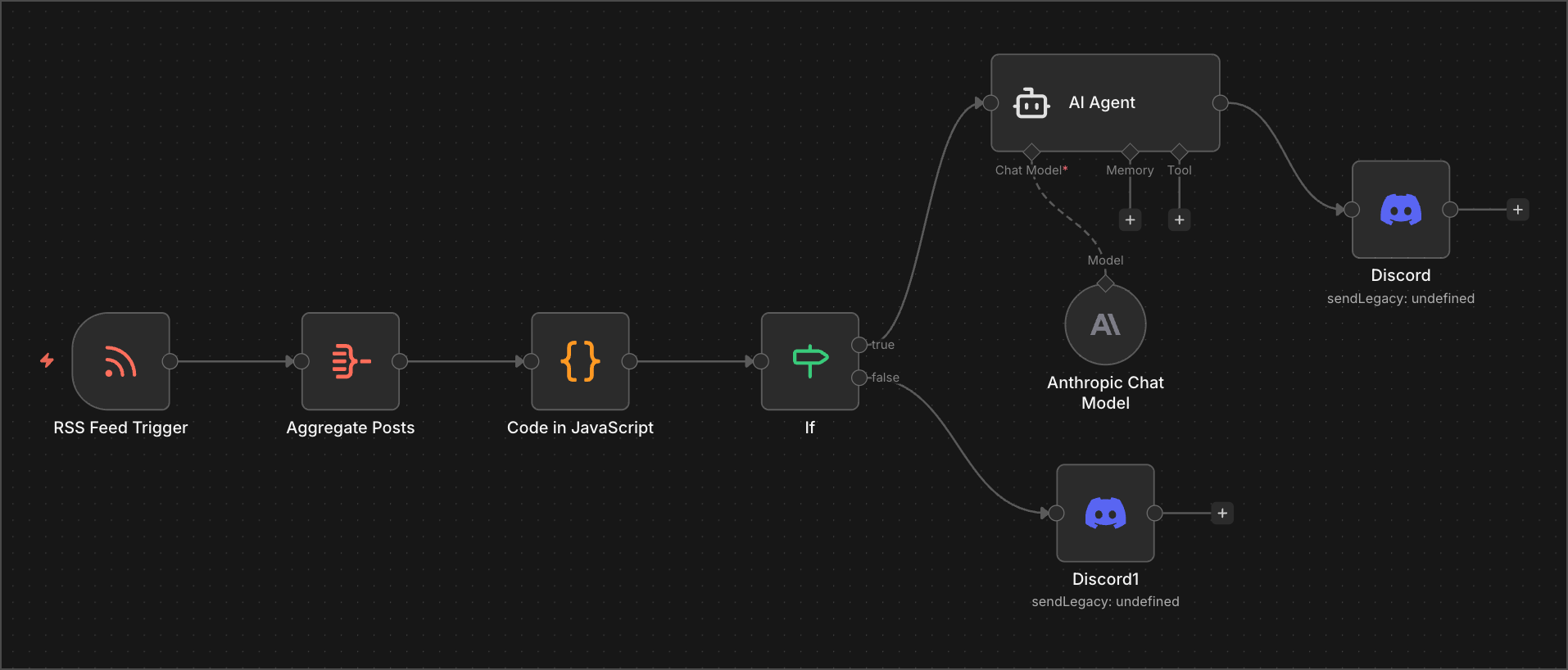
By popular request, here’s the documentation for my n8n workflow. This documentation was created with Claude AI using Claude Skills and was slightly tweaked to remove any sensitive data. The diagram was manually added.
From My RSS Feeds To Day One
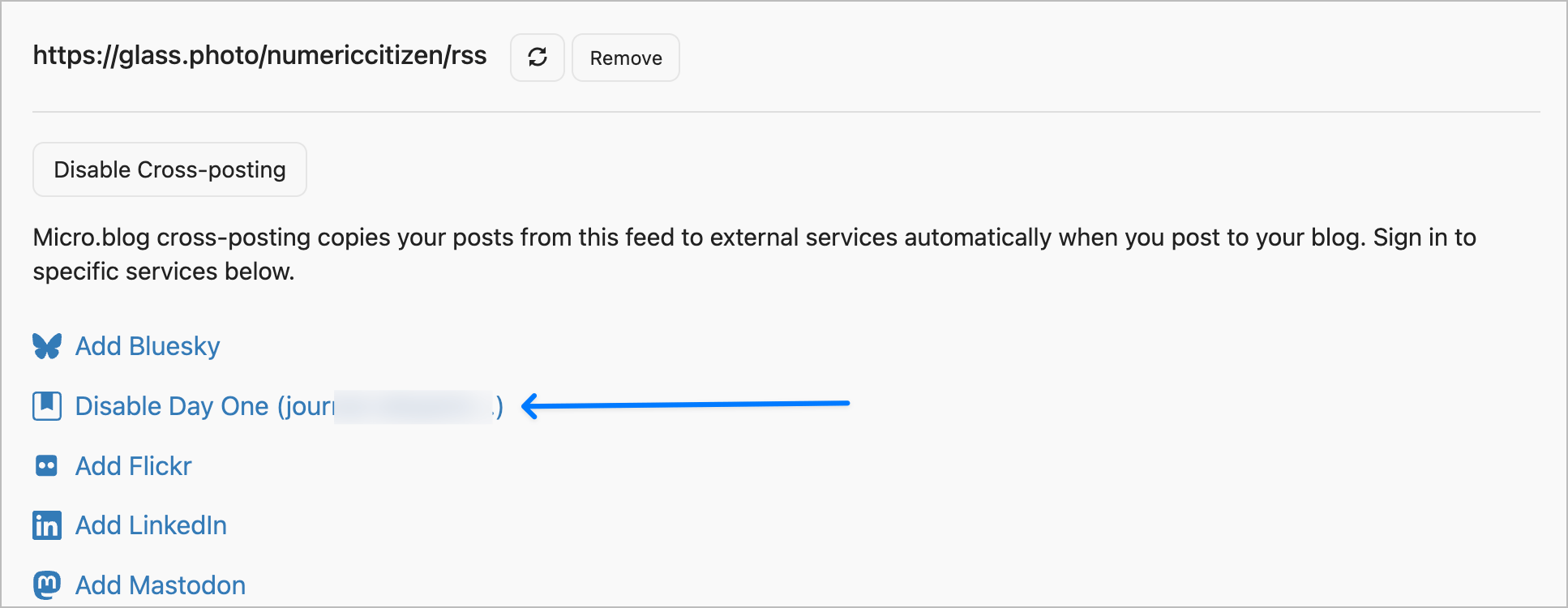
Recent readings about n8n and with the help of Claude AI, I finally found a way to replace IFTTT for archiving my RSS feeds content: it won’t be by using an n8n automation but a simple feature that was sitting right in front of my eyes on Micro.blog: cross-posting. The trick is simple: each of my RSS feed is added to the Sources panel in Micro.blog, from there, I configure cross-post the RSS feed article to other places like Day One journal using email-to-dayone. Voilà. I’ll be closing my IFTTT account later today after so many years of service. The only rather big downside: Micro.blog doesn’t copy images from the source into Day One while IFTTT could. 🫤
Update #1: I submitted my issue on the Micro.blog help forum, and a few hours later, a fix was on the way. Thanks @manton
Update #2: And now it is available; photos are now supported, too! Thanks to Manton!
Using AI For Writing is Lazy? Think Again
Some believe that using AI for writing articles is lazy, not creative, and that you don’t earn the credit for doing it. I disagree. Or, it depends. Here’s a personal experiment.
This week, I shared an article about digital sovereignty with my professional network on LinkedIn. Even if I used ChatGPT to write the article, I spent days on it, or, more specifically, I spent days creating and testing different prompts. The article was written in French, then later translated into English and shared on my blog (see “On Digital Sovereignty and Strategic Realism”).
In this meta blog post, I want to share the final prompt that led to the article. Please note that the final response from ChatGPT was manually modified before being posted. Here’s the prompt below followed with some comments.
I would like you to write an article of no more than 1500 words on the topic of digital sovereignty, a subject that is currently highly relevant both in Québec and around the world. This article will be read by information technology and cybersecurity professionals. It should offer a clear-eyed perspective on the issues and challenges related to the pursuit of digital sovereignty for organizations and governments. The article should not be alarmist, but realistic and critical, with the goal of prompting reflection among readers.
Here is how the article should be structured: an introductory section that provides context, followed by a section explaining why digital sovereignty is essential but not a fully realistic target in absolute terms; we must remain pragmatic. Then, a section offering potential solutions or realistic strategies that large organizations should adopt, especially if they are critical to society.
The article should conclude with open questions inviting readers to reflect and comment in order to spark a constructive conversation. Use the following elements to build the article. Reuse the provided links as references.
- Over the past five years, a series of international, political, and technological events has forced us to examine the notion of digital sovereignty (a few examples: the rise of the GAFAM giants, the Snowden affair, the U.S. Patriot Act and Cloud Act, recent U.S. elections, mergers and acquisitions in the tech sector, etc.).
- What exactly is digital sovereignty? “Digital sovereignty refers to the ability of a state, an organization, or an individual to control and manage its data, digital infrastructures, and technologies in order to ensure its strategic autonomy and security in the digital space.”
- It is the ability to fully exercise one’s rights and choices in the digital domain without being subject to external constraints.
- Major outages from several cloud service providers have occurred, the most notable being:
- AWS (October 20, 2025: Revealing the Cascading Impacts of the AWS Outage – Ookla)
- A Microsoft Azure outage (October 29, 2025: Microsoft Azure Outage: How the World’s Second-Largest Cloud Platform Went Down – ThinkCloudly)
- And more recently, a Cloudflare outage (November 18, 2025: Cloudflare outage on November 18, 2025)
- Another outage occurred last year, on July 19, 2024, when a problematic update from CrowdStrike caused widespread service failures (2024 CrowdStrike-related IT outages – Wikipedia)
- These outages strongly remind us of our deep dependence on cloud services and technology in general, both personally and within organizations.
- We need to reflect and attempt to find viable answers and strategies to these questions: Are we well prepared? Do mitigation solutions exist? Is digital sovereignty only about data?
- Is digital sovereignty a mirage? Are we not always dependent on something beyond our control? We must keep in mind that:
- Complexity and cost: Developing sovereign solutions (cloud, software, artificial intelligence) requires massive investments.
- Global interdependence: Digital value chains are globalized, making total autonomy difficult, if not impossible.
- Risk of protectionism: Some fear that digital sovereignty could be used as a pretext for trade barriers.
- Clearly, digital sovereignty is not merely about using or not using cloud computing, or choosing which cloud to use; it is much broader than that.
- I really like this quote, and it must be integrated into the article: “Digital sovereignty is neither a luxury nor a technological gimmick. It is a pillar of resilience and democracy.” — Le Devoir: https://www.ledevoir.com/opinion/chroniques/936699/parlons-souverainete
- I believe we need to accept the fact that we will never have full control over our digital destiny. Therefore, we must adopt mitigation and exit strategies to reduce dependency links.
- We must maintain a message of independence toward major industry players so that they understand they are not alone, even if they are powerful. We need to be strategic, give ourselves the means to stay agile, and diversify.
As you can see, the prompt is nearly as long as the final product. It took me a dozen tries to see what ChatGPT could create. After each try, I would modify and add instructions to the prompt. Oh, and I searched for references myself. In short, this was a multi-day effort. Am I a lazy guy? You tell me.
As a Craft power user, I still need Ulysses to complete my writing and publishing workflow. I made a video about this.
Screenflow + Screen Studio
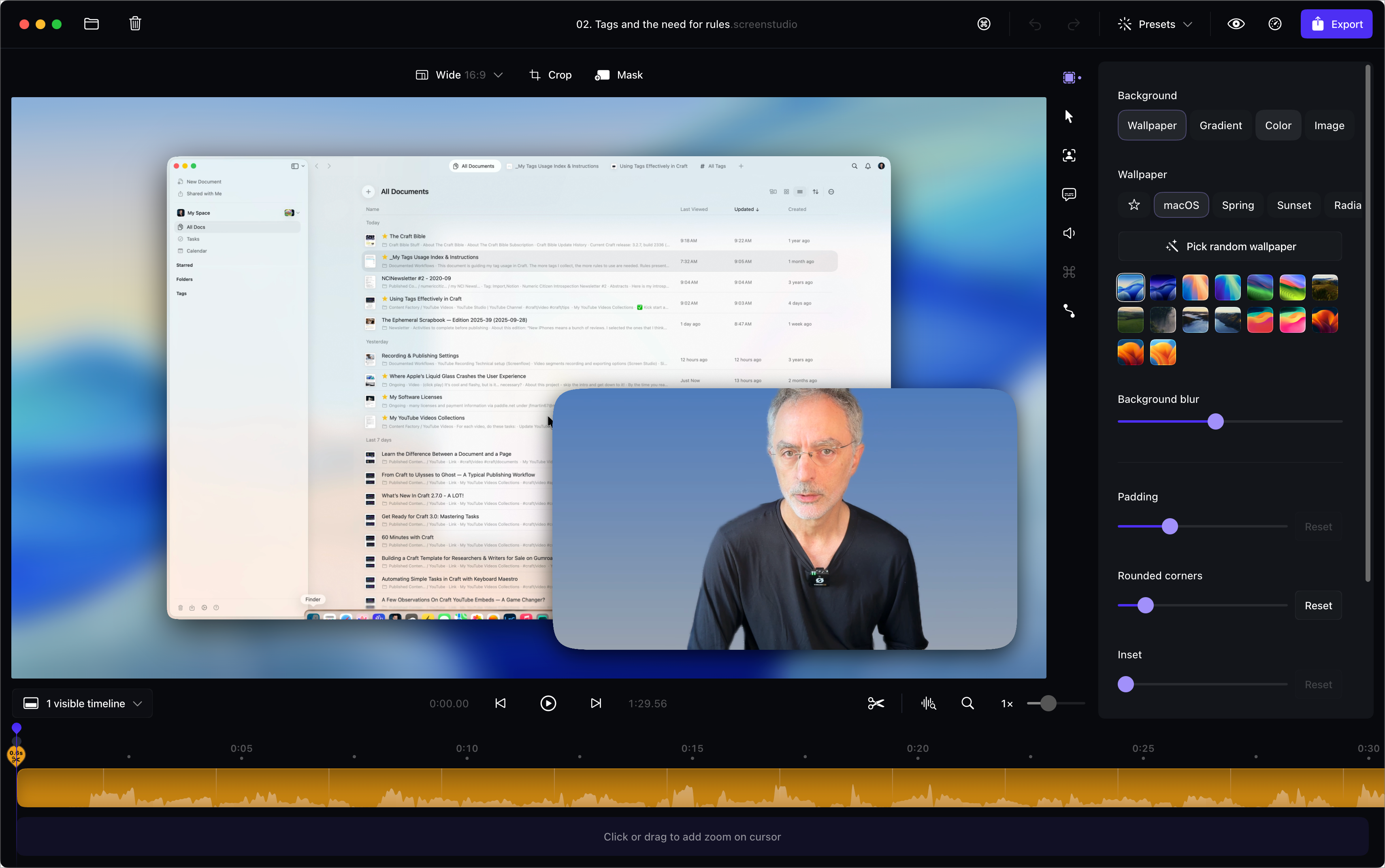
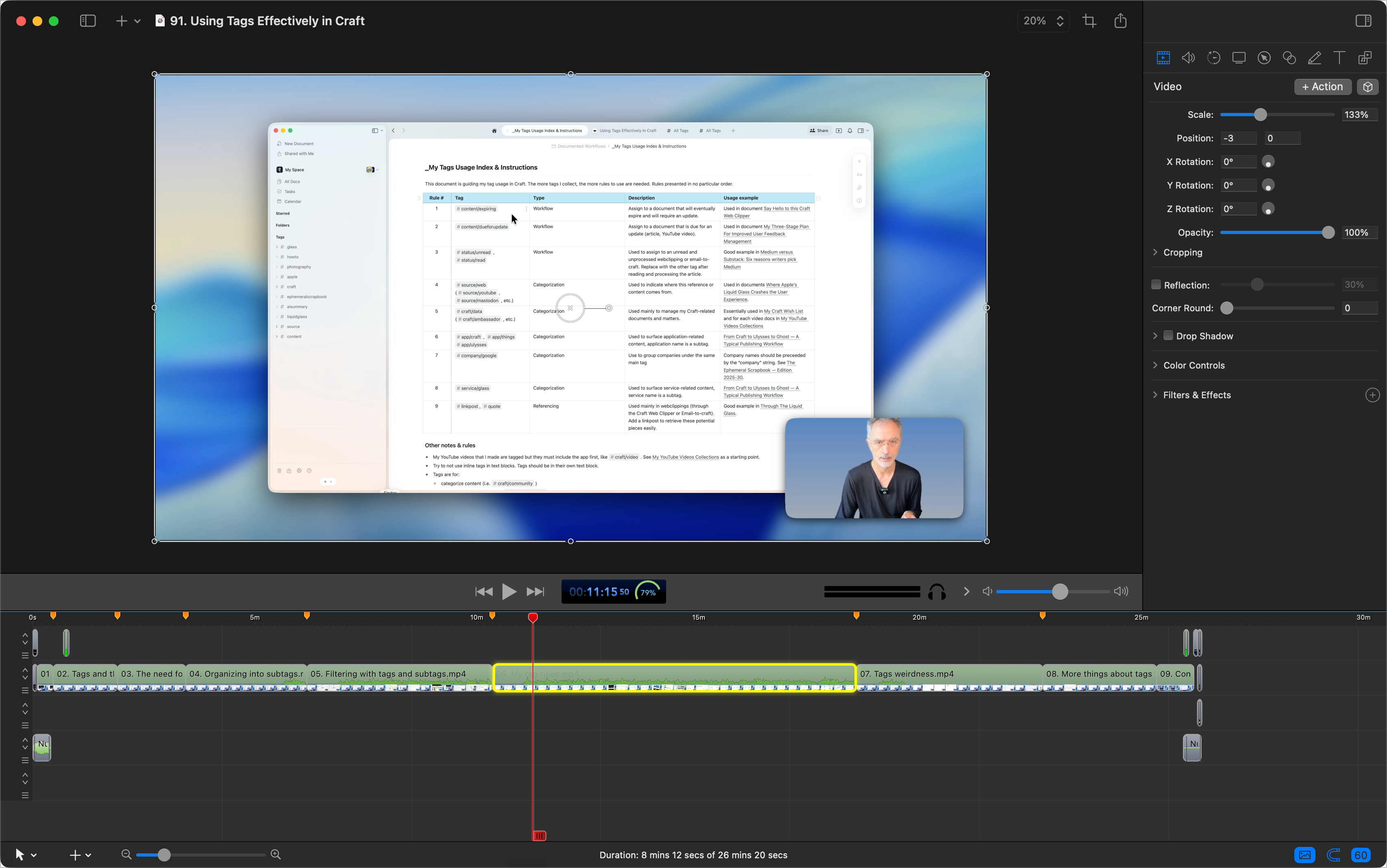
This week, I decided to add Screen Studio to my YouTube recording workflow. Screen Studio brings simplicity for recording more dynamic screen sequences. Everything Screen Studio does can be done in ScreenFlow, but it requires significantly more manual work. But Screen Studio has a severe limitation: we cannot merge recorded sequences. That’s why I’m keeping ScreenFlow.
In summary, my workflow proceeds as follows: individual sequences are recorded in Screen Studio, exported as .mp4 files, and then imported into ScreenFlow to be assembled into a complete video sequence, which includes the intro and outro sequences with background music. Chapter markers are also added in ScreenFlow before final export. Finally, video subtitles are created using Whisper Transcription and exported as an .srt file, which is compatible with YouTube Studio.
Overall, I do spend more time on video rendering, but I think it’s worth it. Lastly, disk space consumption is way higher than before, with 2x-3x more space consumed than with ScreenFlow alone. Ouch.
One more thing: Screen Studio is the only app that makes the M4 Mac mini fan run at full speed. I wonder if Screen Studio uses Apple Metal technology?
I made a little update to my reading workflow, especially the part for newsletter. Look in the table on this page and sort by date to locate the most recent update.
My Content Creator Workflow & Digital Tools — Edition 2024-12
It’s been quite a long time since my previous content creator workflow update, more than a year actually, back in November 2023. With 2024 coming to an end, it’s time for a detailed update. First, consider the following overall diagram, then continue reading.
Outlining purposes: Zavala, a free open-source outliner, is nearly perfect for outlining YouTube video production. I don’t do detailed scripting before recording videos, but I like to create the outline. I was using Zavala until the release of Mindnote Next, but this might change. Mindnote is a superbly designed mind-mapping application that also supports the creation of outlines, which are more beautiful than those created in Zavala. One of Zavala’s strengths is that it is free but also easily exports a document into Craft via a simple drag-and-drop. I will see how it goes in 2025.
Presentation purposes: iA Presenter offers a unique approach to presentation creation. I rarely use presentation software outside of my day job, but when I do, it supports me while recording a YouTube video. A recent update to iA Presenter introduced an online presentation sharing feature that works really well and is beautifully implemented. For 2025, I’ll try to take advantage of this. iA Presenter is such a unique take on a very old software category I must keep trying to find a use for it.
Website site analytics: Tinylytics joins Plausible in my toolset. I was happy with Plausible until this year, but the developer of Tinylytics is also the developer of Scribble.pages, a blog hosting service I really like. I decided to subscribe to Tinylytics as a support gesture for all his hard work building simple yet valuable web services.
Web bookmark management: I’m happy to introduce Anybox. Sure, it’s not raindrop.io, but it’s a great native Mac app, also available on the iPad and the iPhone. That’s all I need. My collection has less than four hundred bookmarks, all organized using folders and tags. It’s nothing fancy but practical.
RSS feeds publishing: FeedPress is a simple yet effective way for adding a unified feed in front of all my different websites (Ghost, Micro.blog, Scribbles, Medium). Also, I offer an RSS megafeed that encompasses all my other individual RSS feeds, which can be found here: https://feeds.numericcitizen.me. The added value of using FeedPress is to enable RSS feed analytics, which other publishing platforms like Micro.blog, for example, won’t provide.
Podcasting purposes: Micro.blog is now my podcast hosting service of choice. The feature is built-in and very simple to configure and use. There are two ways for me to share a podcast episode: either use the narrated post feature of Micro.blog or use a traditional workflow, build an audio file using Screenflow, post-process it in Adobe Podcast, and convert it from WAV to MP3 using Permute before uploading the audio file to Micro.blog.
Files-hosting and cloud storage service: Dropshare will upload a file to Backblaze cloud storage, and Short.io will shorten the resulting URL. All my files are shared under the following domain name: https://go.numericcitizen.me, using my custom branding. Here is an example: https://go.numericcitizen.me/PLx2st2Y. This workflow was implemented in 2024 and works well. The only thing is that I don’t use it often enough, and it can compete with CleanShot Cloud, which I use more often when sharing screenshots or short video clips. Those media files are using the following URL: cloud.numericcitizen.me.
Specialized blog hosting: Micro.blog. I created a metablog on Micro.blog using one of the five blogs in my Micro.blog subscription. As you can conclude, I’m increasing my foothold on Micro.blog because it is cheap, effective and unique on the market.
Read-later service: I removed Omnivore because the service is no longer being developed, and I decided to focus on Inoreader instead. It’s not a perfect solution, but it is a cheaper one. I still depend on Readwise to sync text highlights from Inoreader.
Another blog hosting service, Scribbles, was. I’m using it to host short-form posts called Blips or longer ones using the /Now spirit under the following URL: https://blips.numericctizen.me.
One-page website hosting: Numeric Citizen Hub on Micro.blog has replaced my Linktr.ee page. I’m again focusing on Micro.blog for many of my online publishing needs while saving some money along the way. This one-page website is for hosting my visitor card, sort of. Micro.blog offers support for one-page websites, so I’m taking advantage of this.
When saving bookmarks on Miicro.blog, I take advantage of text highlights while reading the article that Micro.blog is keeping from the bookmark. Text highlights are synced to Readwise, too.
Website for my supporters: For prople who wants to show their support for my work, I have built a Ko-fi page that can be reached here: https://ko-fi.com/numericcitizen. It was created for the one dollars a month club initiative from Manuel Moreale. I’m one of his supporter.
Document writing and editing needs: Craft & Ulysses. Both apps are still at the center of my publishing needs. More than ever, I depend on Craft to gather my thoughts and notes, research, and write. Ultimately, content is exported into Ulysses for publishing to either Ghost, Micro.blog or, more recently, Medium.
Behind-the-scenes newcomers: Apple Freeform plays a more prominent role in helping me create diagrams. Freeform is joining Mindnote and Keynote for creating visual content when needed.
These are gone: All my domain name registrations are now entirely moved to Cloudflare, and gone is GoDaddy. Omnivore is being phased out by its developers; it’s gone, too.
Until next time
The continuous evolution of toolsets reflects the dynamic nature of technology and the diverse needs of users. No toolset is flawless, and each comes with its own set of strengths and weaknesses. This notion is evident in your evolving content creator workflow, where you adapt and integrate new tools, illustrating digital tools’ perpetual state of change. For 2025, I don’t expect too much change in my workflows. Don’t forget to visit my complete content creator toolset if you are curious about the individual tools that I’m using.
This document is also available as a Craft shared document.
Bye bye Hookmark, apparently my current subscription ended. I cannot justify subscribing to this app just to be able to browse hookmark files created when my subscription was active. I’ll need to update some of my Craft templates to remove all my hookmark file references. Tedious.
Combining Craft And Things 3 For My Writing Projects
This article is about how I’m using Craft and Things 3, which is behind any short or long article I share online. Here is what happens when I get a new post idea.
- In Things 3, Create an entry and set priority and desired or expected date of publication if known.
- In Craft, I create a new document, set the title and then copy the document’s deeplink to the clipboard.
- Still within Craft, I move the newly created document to the appropriate folder.
- Still within Craft, I update my private creator dashboard document optionally.
- Back to Things 3, and I paste the deeplink into the note field. It’s handy to jump from Things 3 to Craft with a single tap.
At this point, I can start my research, writing and editing of my article or blog post in Craft. Now, here is what happens after publishing my article:
- Mark the to-do item as done in Things 3.
- I update my private creator dashboard document by converting my deeplink to a new permalink that I put in the Recently Published section.
- I monitor the appropriate RSS feed for quality control. See this article about subscribing to my own RSS feeds.
There you have it. Craft plays a central role in my blogger workflow1. This blog post exposes what happens at the beginning and at the end of a new post idea. I hope you enjoyed it and maybe learned something.
-
Not all blog posts start in Craft. Far from it. ↩︎